This post contains affiliate links, meaning if you click through and make a purchase, I may earn a small commission at no extra cost to you. I only recommend products I personally use and believe bring value to my audience.
Most people reach for another app when something breaks down.
A new project management tool. A shared folder. A form that feeds into a spreadsheet that feeds into a Slack message that someone eventually forgets to read.
That's not a system. That's fragmentation with extra steps.
This post is about a different approach. I'll show you how I used Softr's new AI Co-Builder to build a full content approval system for my agency. It includes a relational database, a client-facing portal, role-based permissions, and workflow automation.
The real problem with content approval
Content approval sounds manageable until you're actually in the middle of it.
Assets get shared over email or Slack and scattered across threads. Clients guess which version is current. Feedback lands in the wrong place. No one has a clear record of what was approved or when. Teams manually follow up just to close the loop.
The instinct most people have is to add another tool. Another shared folder. Another project management tab. That just creates more places for things to get lost.
What you actually need is a system. One that handles the database, the client-facing portal, and the workflow automation, all connected, all in one place.
What is Softr's AI Co-Builder?
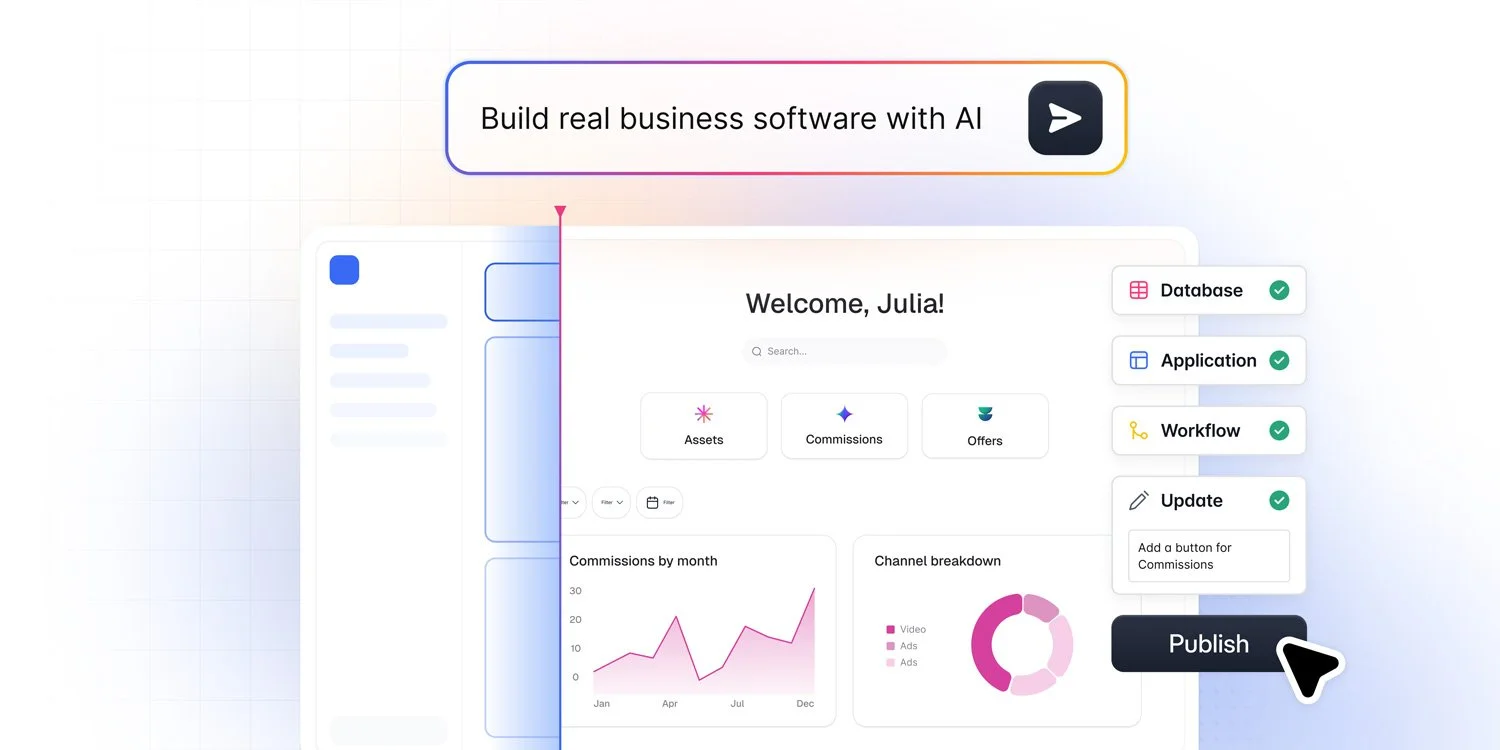
One prompt. A full system. This is Softr's AI Co-Builder in action.
Softr launched its AI Co-Builder in March 2026.
It builds a full system: database, app, permissions, and automation, all at the same time, all connected, and all maintainable without a developer.
The difference that matters most: permissions are defined before a single page is generated. Most tools treat access control as something you configure after the fact. Softr makes it part of the spec from the start.
How I built a content approval system in under 20 minutes
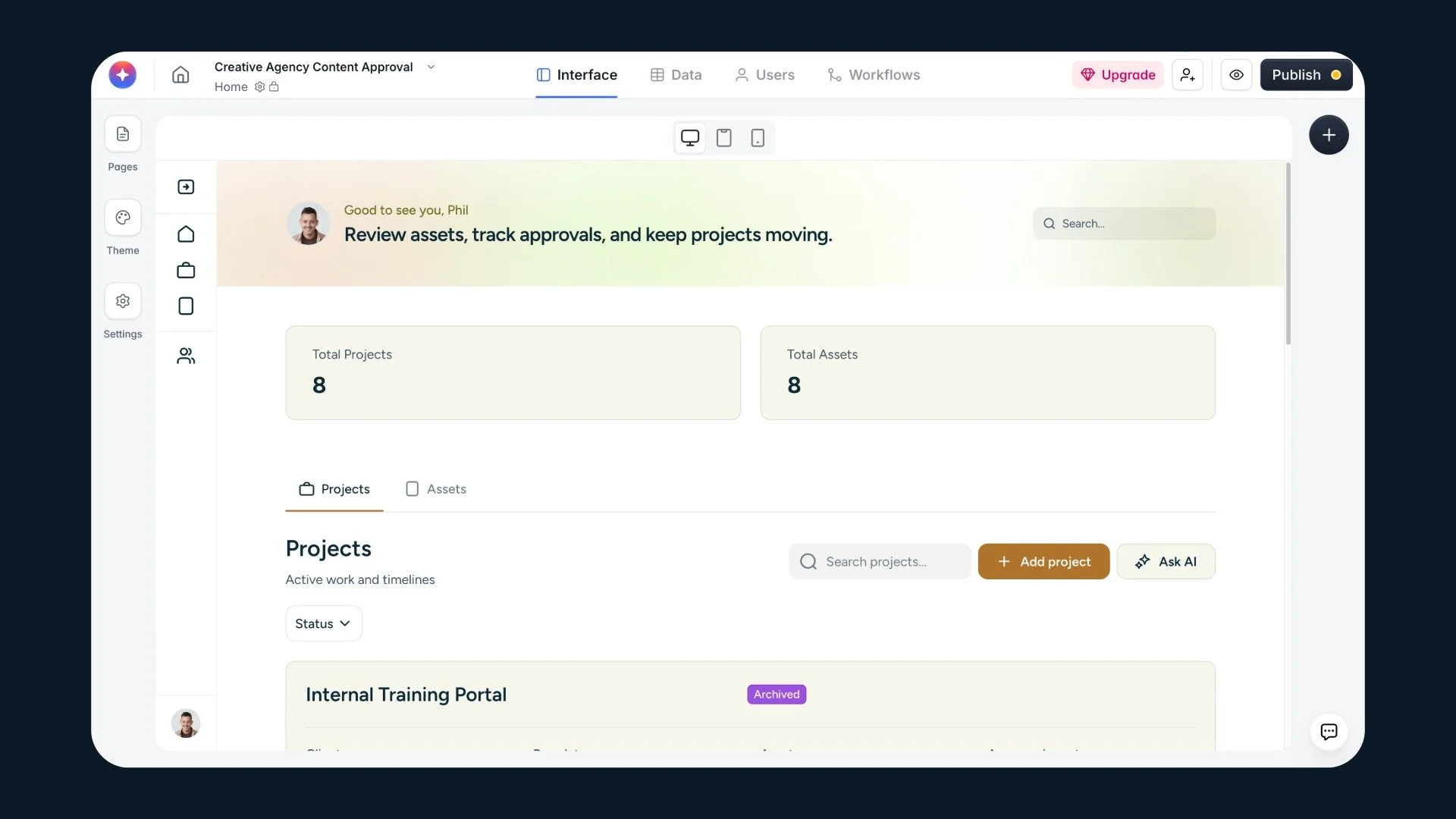
The content approval system I built for my agency. Clients see their work. My team sees everything.
Step 1: Describe what you need
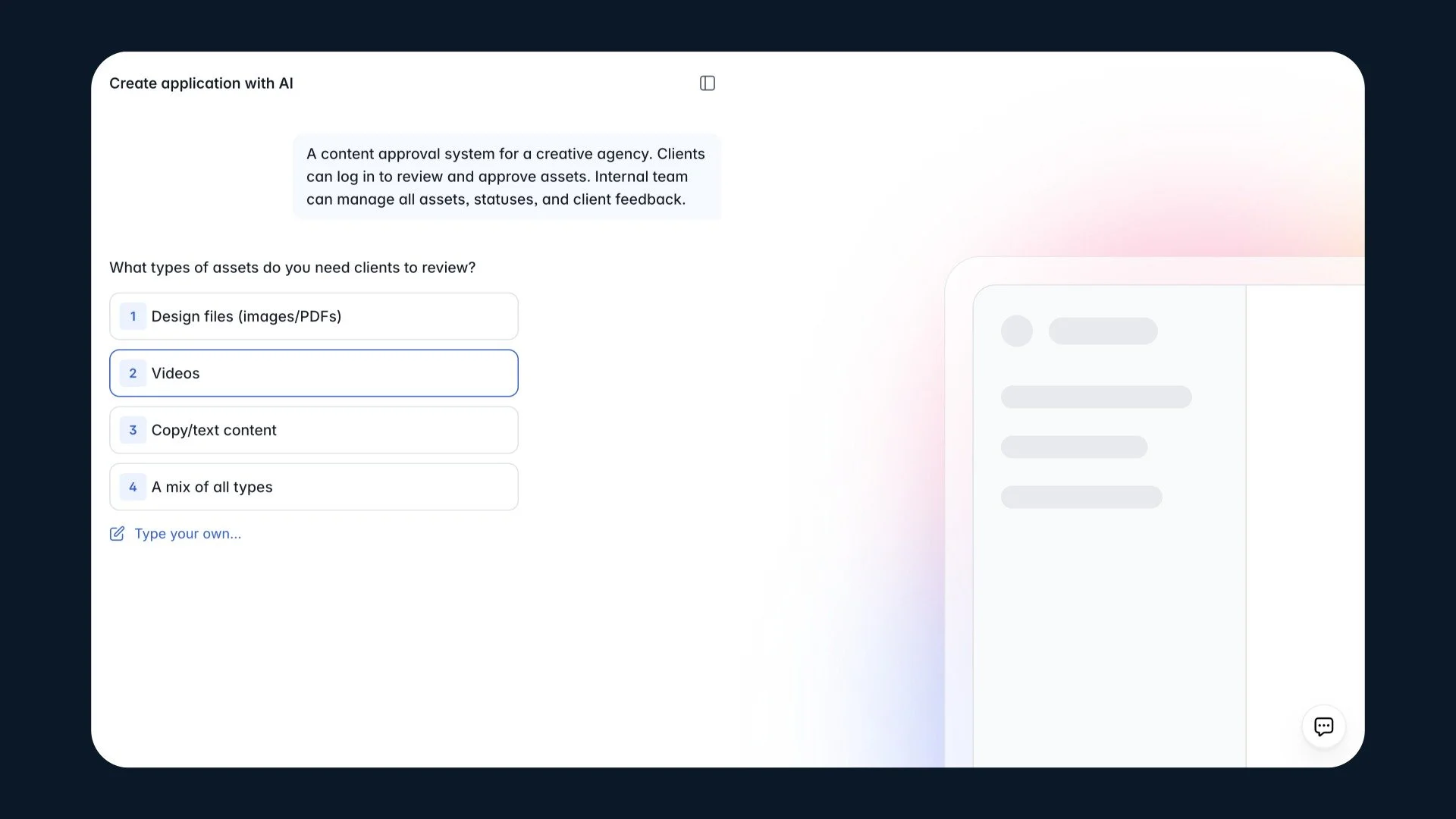
I typed three sentences: “Build a content approval system for a creative agency. Clients should be able to log in and review assets. My internal team needs to manage statuses and feedback.”
Before building anything, Softr asked me clarifying questions. What types of assets will clients review? How should the approval flow work? Should clients see only their own projects?
These are not technical questions. Anyone can answer them. And the answers shape the entire system before a single page is generated.
Try Softr free and start building your own app (like a content approval system)
Step 2: Watch the database build in real time
While Softr builds, you can watch both sides of the screen.
On the right, the database takes shape in real time. Tables for projects, assets, feedback, and approvals, all structured around the business logic from your answers. On the left, Softr narrates every decision it makes. Why it created certain fields, how it linked tables, what logic it applied.
Nothing is hidden. You can see exactly how your system is being put together. That means you can understand it, explain it to your team, and edit it later without guessing.
Sample data populates automatically. Before you add a single real record, you can already see how everything works.
The database is visual and spreadsheet-style. Think Airtable, but built into the same platform as your app. You can edit it directly, add fields, and adjust relationships without prompting. And if you already use Airtable, Notion, Google Sheets, or HubSpot, Softr connects to those too.
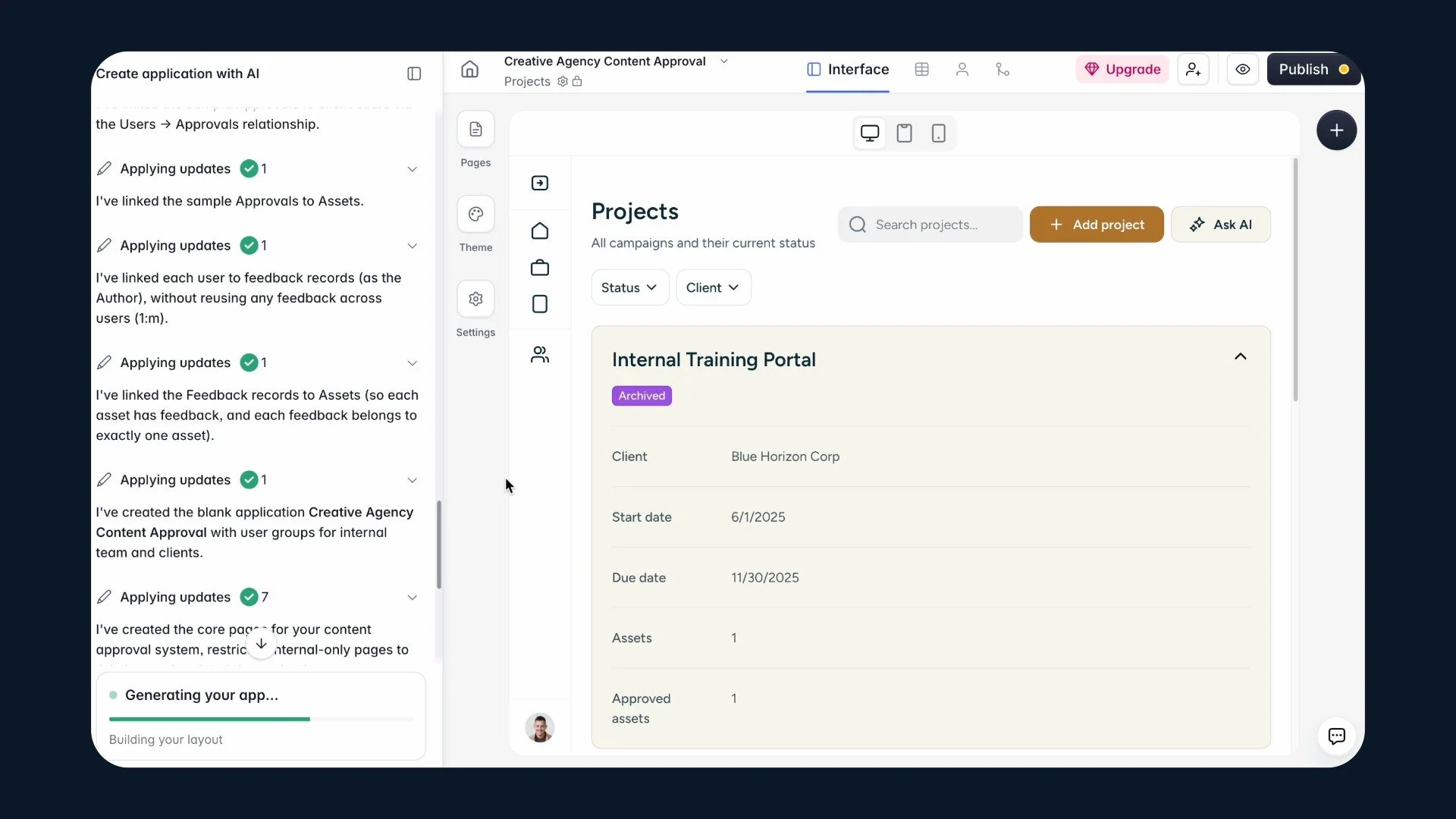
You can see exactly how your system is being put together. That means you can understand it, explain it to your team, and edit it later without guessing.
Step 3: Preview the portal from any user role
Once the app is built, you can preview it from any user role without leaving the editor.
As an admin, I can see everything. All projects, all clients, all assets, full history. From the Projects page I can filter by status or client, add new projects, and manage everything across the board.
When I switch to a client view, the experience changes immediately. The navigation simplifies to Home, Projects, and Assets. The Clients page disappears. There is no Add project button. No other clients' work. No internal commentary. The system enforces all of that automatically.
To verify it is set up correctly, I use the Preview as dropdown to switch between roles right inside the studio.
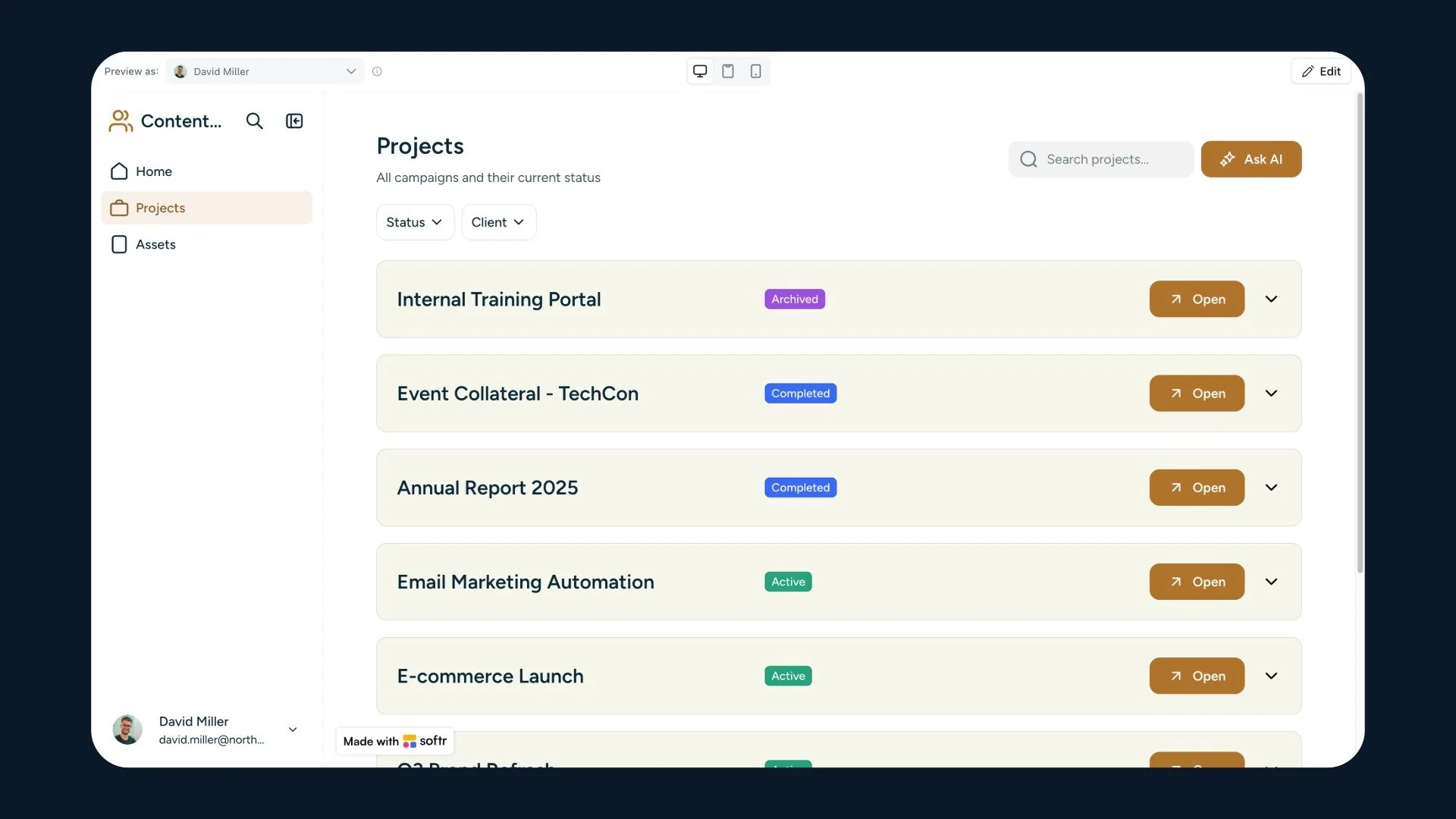
This is the client view. David can see his projects, filter by status, and open any campaign. Softr enforces that automatically.
Step 4: Build your first automation
Softr's built-in workflow automation is a standalone product. It replaces tools like Zapier or Make without a separate subscription.
Every automation starts with a trigger. I selected Softr Databases, then Record updated, then pointed it at the Approvals table. The trigger fires the moment a client updates their approval decision. From there, I can add the next step: send a notification, update a related record, or fire off an email confirmation.
The workflow builds out visually, step by step, on a canvas. It is a lot less confusing than Zapier or Make.
The process moves forward on its own. No manual follow-up needed.
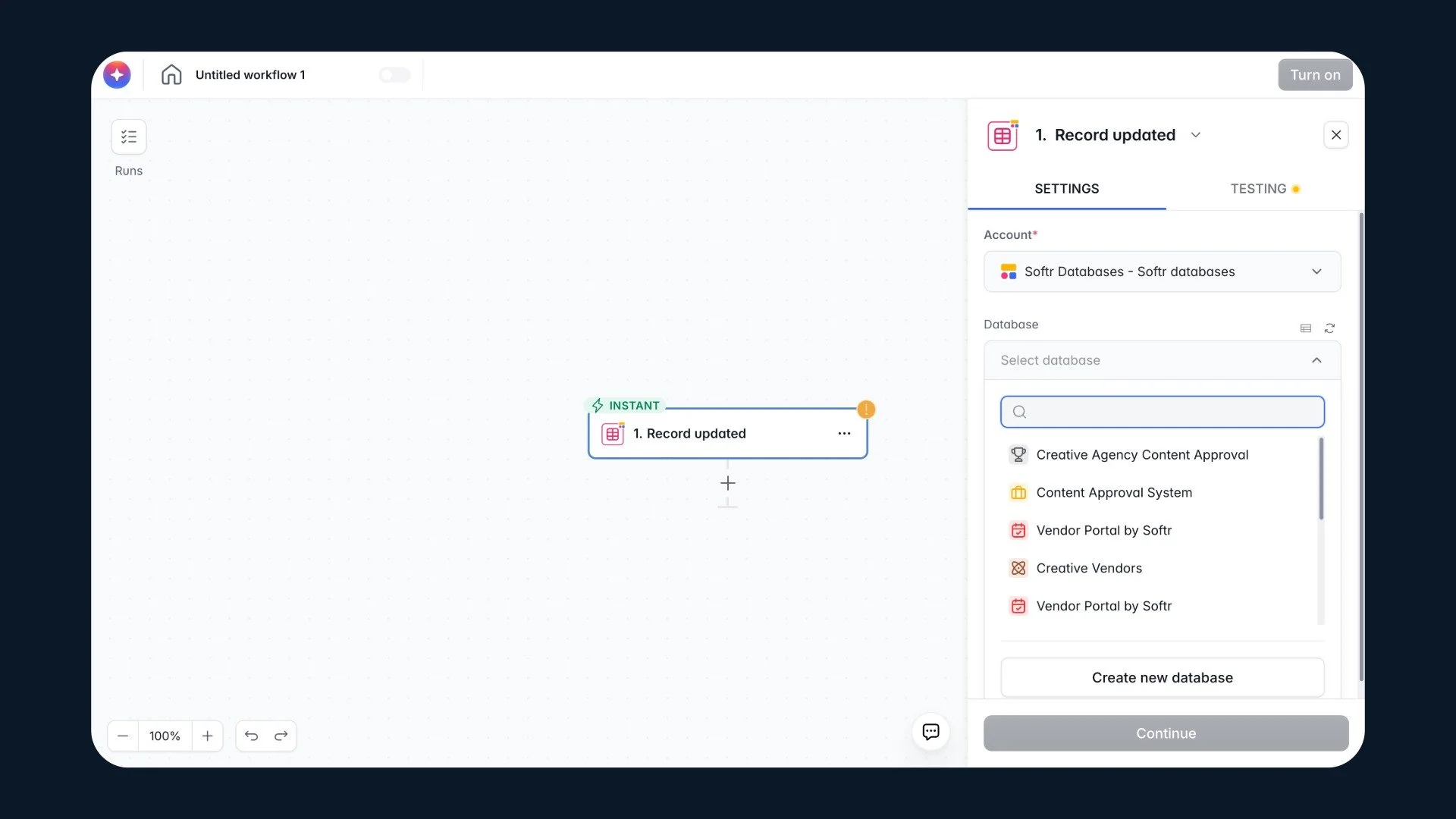
Setting up the automation trigger. When a record updates in the Creative Agency Content Approval database, the workflow fires instantly. No manual follow-up needed
Why this works differently
A lot of AI builders are fast to set up. The moment real users and real permissions get involved, things break. You end up troubleshooting instead of running your business.
Softr is built for non-developers who need software their whole team can use, maintain, and build on over time. The database is visible. The permissions are visual. The automations are editable. None of it requires a developer now or later.
Who this is for
A content approval system built this way works for any creative agency, consultancy, or service business managing client deliverables.
The same approach applies to a client onboarding portal, an internal HR system, a CRM with a client-facing layer, or a project tracker with role-based access.
The use case is almost secondary. The point is building a system instead of patching together a stack of disconnected apps.
Try it yourself
Softr's AI Co-Builder is free to try. Describe your use case, watch it build, and have something real in front of you in under 20 minutes.
My full video walkthrough shows exactly how this content approval system was built, step by step.
Disclosure: I’ve collaborated with Softr as a paid content creator to bring you this post. While I was compensated for my time, all opinions are my own. I only recommend tools that I genuinely believe provide value to my audience.