How I Built a Branded Client Portal (Without Code or Compromises)
This post contains affiliate links, meaning if you click through and make a purchase, I may earn a small commission at no extra cost to you. I only recommend products I personally use and believe bring value to my audience.
Every client wants the same thing: clarity. They want to know where their project stands, what’s next, and where to find their files—without digging through emails or chasing down updates.
After years of forcing project management tools to do what they weren’t meant to do, I finally built something better. A branded client portal, using Softr.
Here’s what that looks like, and how I did it.
Why Most Tools Fall Short
My team runs on Monday.com. It’s great for keeping our work moving internally. But letting clients into that system? Not ideal. It’s messy. It’s full of internal tasks, conversations, and timelines they don’t need to see. And honestly, it creates more confusion than clarity.
I’ve tried Notion, shared Google Sheets, folders, and even slideshows. None of it really worked. So I stopped trying to bend tools to fit—and used one designed exactly for this.
Softr gave me a clean, secure way to share live project updates with clients, without exposing everything behind the scenes.
What Is Softr?
Softr is a no-code platform that lets you build fully custom apps—like CRMs, dashboards, portals, and internal tools—without writing code or hiring a dev team.
The best part? It connects to the tools you’re already using. Monday.com, Airtable, Google Sheets, HubSpot, and more. Or, you can use Softr’s own backend: Softr Databases.
I use both. Monday handles our task tracking. Softr Databases holds our client records. And Softr ties it all together.
Starting With the Right Template
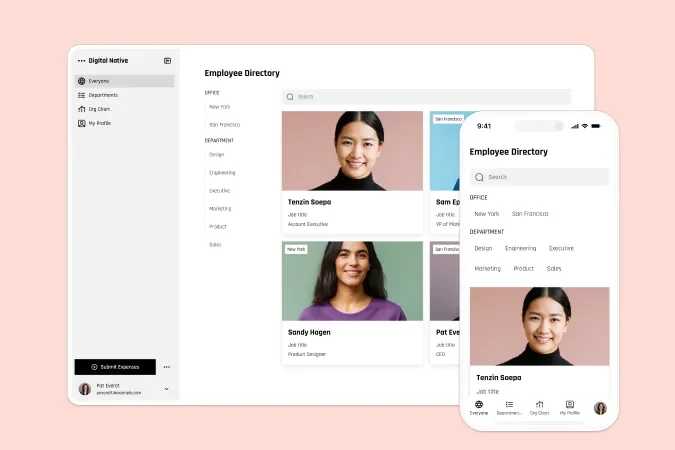
To save time, I started with one of Softr’s templates—Client Portal. It had most of what I needed out of the box. Secure logins, project views, shared files, and a clean layout that I could tweak to match our branding.
Customising it was easy. Drag-and-drop sections. Branded colours and fonts. And every block connected directly to our data sources.
I didn’t need to start from scratch. But I could have, and it still would’ve been fast.
Try Softr free and start building your own client portal
Bringing in the Data
One thing I like about Softr is how easy it is to use multiple data sources. I connected our Monday board for project tracking, and set up a Softr Database to manage client profiles. Each portal view is filtered—so clients only see what’s relevant to them.
Even better, it’s synced in both directions. If I update a task in Monday, it updates in Softr. No manual uploads. No extra clicks.
Automating with Workflows
Softr recently launched a feature called Workflows. It’s what turns a static portal into something smarter.
With Workflows, you can automate common tasks—like sending welcome emails, flagging overdue items, or even triggering actions when someone clicks a button. You can build them from scratch, or describe what you want and let Softr generate the workflow for you.
This means your client portal can grow with you. And you don’t need to rely on third-party tools or complicated integrations.
Publishing and Sharing
Once the portal was ready, I published it on a custom domain and added my client users manually. You can also automate invites or connect it to your CRM if you want.
Each client gets a secure login, sees only what’s relevant to them, and never has to ask, “Where’s that file?” or “What’s the status?”
The result is a branded experience that feels polished—without feeling overbuilt.
Why This Works
I didn’t make this portal for the sake of it. I made it because I needed it.
It gives my clients a clean, consistent way to check in. It cuts down on status requests. It saves me time. And it helps us look more professional.
If you run an agency, work with clients, or just want to share updates without chaos, try Softr. You can start with a template and have something live in under an hour.
Start building your own portal with Softr and see what it’s like to finally have a system that works for you and your clients.
Disclosure: I’ve collaborated with Softr as a paid content creator to bring you this post. While I was compensated for my time, all opinions are my own. I only recommend tools that I genuinely believe provide value to my audience.