How I Built a Vendor Management Portal in Softr
This post contains affiliate links, meaning if you click through and make a purchase, I may earn a small commission at no extra cost to you. I only recommend products I personally use and believe bring value to my audience.
Managing vendors sounds simple until it isn’t.
As soon as you work with more than a few contractors, things start to scatter. Contact details live in spreadsheets. Pricing sits in old emails. Notes exist only in someone’s head. Decisions happen in Slack and disappear the next day.
That’s the problem a vendor portal is meant to solve.
In this post, I’ll show how I built a vendor management portal in Softr to manage photographers, editors, and other collaborators for my agency. No code required.
Why vendor management breaks down
When vendor information lives across tools, every decision takes longer than it should. You end up asking the same questions again and again.
Who’s approved for this type of work?
What do they charge?
Have we worked with them before?
How did that go last time?
Without a single place to look, vendor management becomes reactive instead of intentional.
What is a vendor portal in Softr?
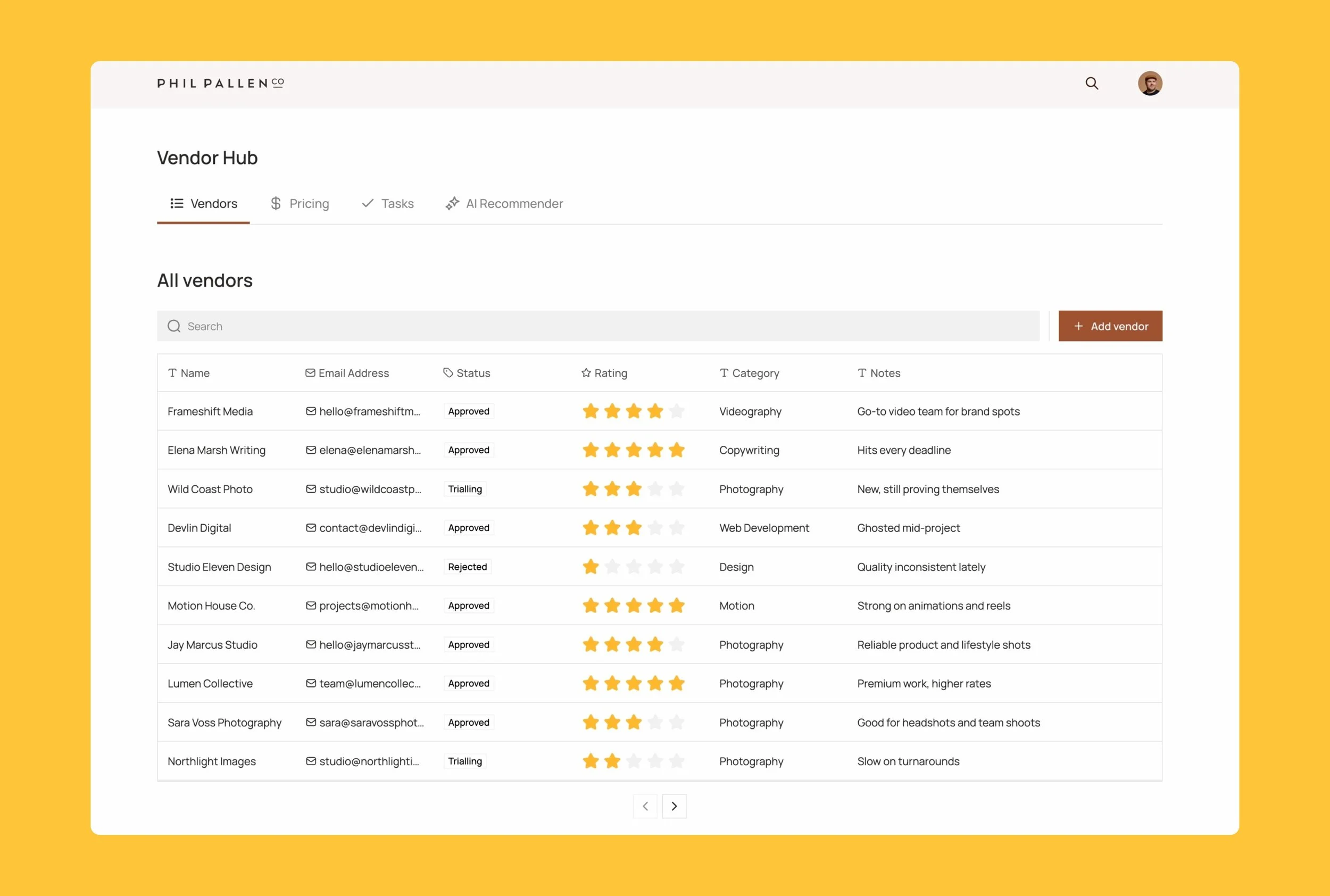
Vendor portal built in Softr showing live vendor data, ratings, approval status, and internal notes in one central dashboard.
A vendor portal in Softr is a no-code app connected to live data.
It lets you:
Store vendor records in one place
Track tasks, pricing, and work history
Control what vendors and internal teams can see
Build custom workflows on top of your data
Softr works especially well for internal tools because it combines flexible layouts, databases, and permissions without needing custom development.
Starting With the Right Template
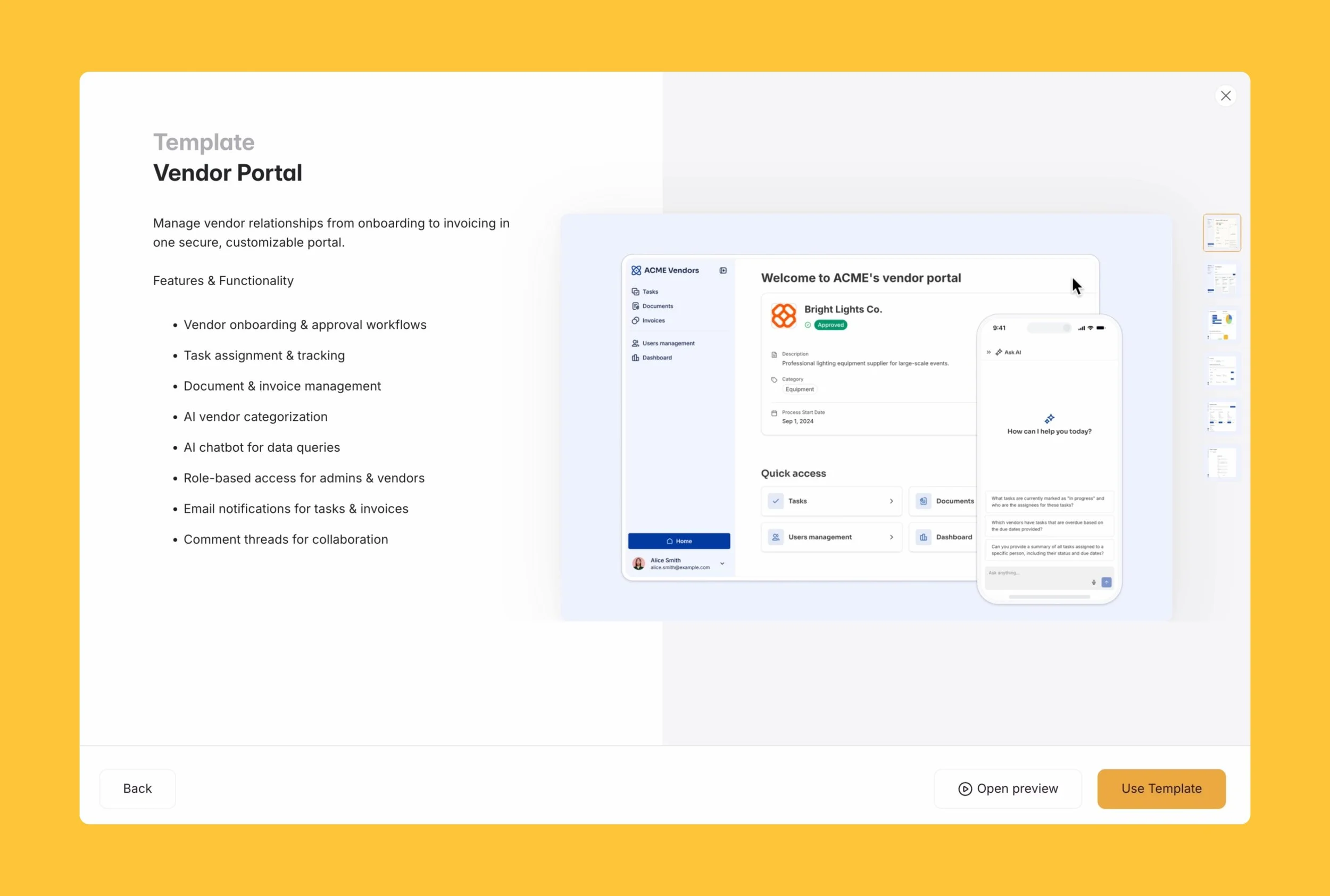
Softr’s Vendor Portal template provides a strong starting point with onboarding workflows, task tracking, invoicing, and role-based access built in.
Everything starts with the database.
In my case, each vendor is a single record with only practical fields:
Name and contact details
Category or service type
Approval status
Rating
Pricing
Internal notes
If a field doesn’t help me make a decision faster, it doesn’t belong there.
Softr Databases make this easy to manage directly inside the platform. You can also connect Airtable, Google Sheets, or other data sources if that’s already how your team works.
Try Softr free and start building your own vendor portal
Building the vendor portal interface
Once the data is in place, the interface comes together quickly.
I used a table view to create an internal vendor hub where my team can:
Search vendors by name or category
Scan ratings and approval status
Review notes before assigning work
Because everything is connected to live data, updates appear instantly. There’s no version confusion and no manual syncing.
This is where a vendor portal beats spreadsheets every time.
Tracking real work with vendors
A vendor portal isn’t just a directory. It’s where real work lives.
Tasks and jobs are linked directly to vendor records, so context carries forward over time. I can see who’s working on what, what’s in progress, and what’s already complete.
Pricing stays visible while scoping work, which sounds small but makes a big difference. Over time, this builds a clear history of who delivered what and how that relationship has evolved.
It removes questions like “who’s best for this?” because the answer is already there.
Permissions matter more than people expect
Not everyone should see everything. That matters.
In Softr, permissions are handled at the data level. Internal team members can see full vendor records, including pricing and internal notes. Vendors only see what’s relevant to them, such as their own tasks, documents, or invoices.
Sensitive information stays private by default. There’s no need for workarounds or duplicate systems.
As the portal grows, access stays predictable and secure.
Adding intelligence with Softr AI Vibe Coding
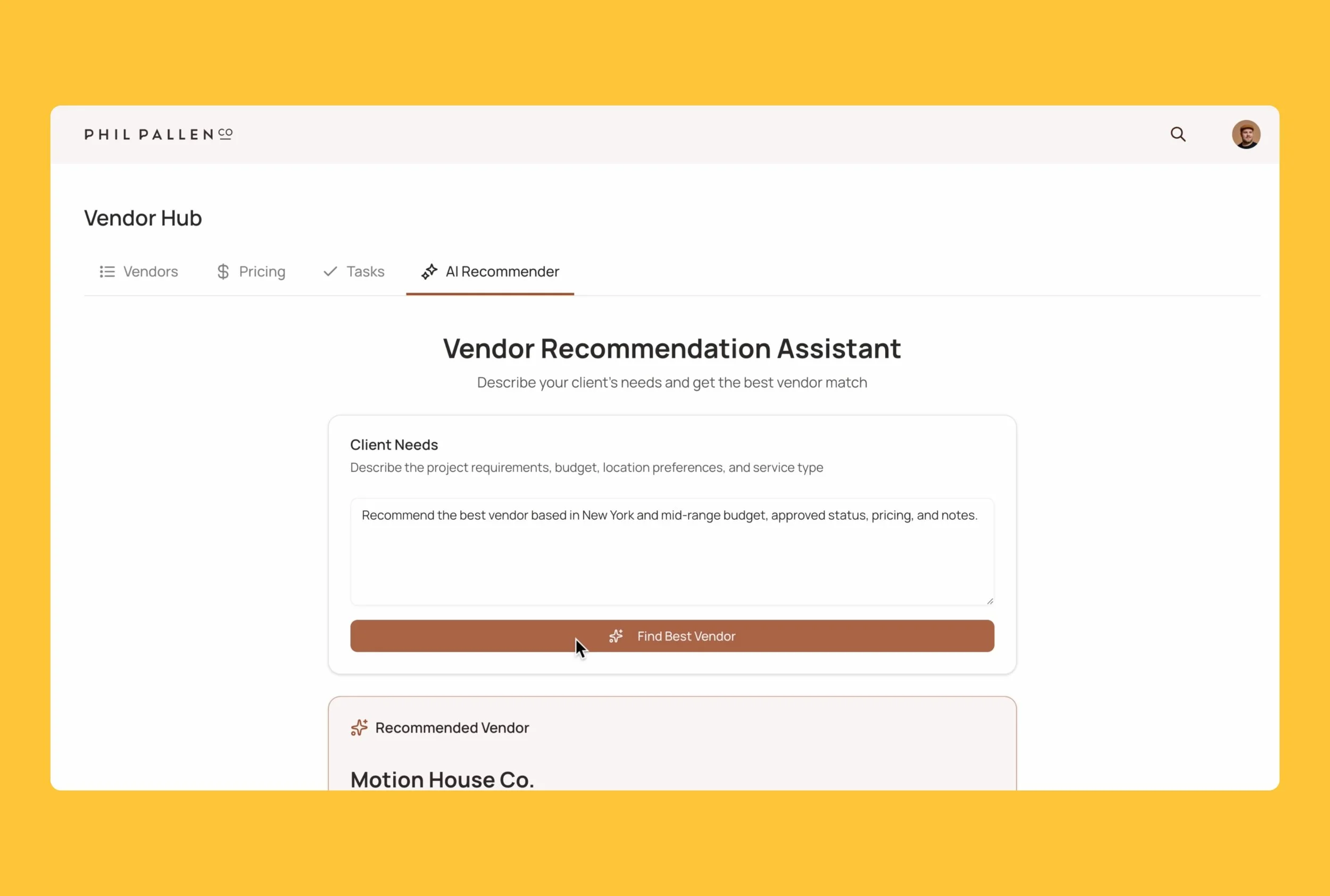
A custom vendor recommendation assistant built with Softr’s AI Vibe Coding block, connected to live database records and protected by role-based permissions.
This is where things get interesting.
I built a vendor recommendation assistant using Softr’s AI Vibe Coding. Instead of manually deciding who to assign to a project, I describe the project needs, like location and budget range.
The AI reads from live vendor data and recommends the best match based on approval status, ratings, pricing, and existing notes.
This isn’t a chatbot answering generic questions. It’s a custom interface connected directly to my database, with permissions respected automatically.
I used Vibe Coding because what I wanted to build didn’t exist as a standard Softr block. Rather than writing custom logic, I described the behaviour I needed and let the platform handle the rest.
As my vendor list grows, this only becomes more useful.
Why this approach works
A vendor management portal like this changes how teams operate.
Decisions get faster.
Context stays intact.
Vendor relationships improve.
Internal chaos drops.
Most importantly, the system scales with you. You don’t need to redesign it every time your vendor list grows.
Try building your own vendor portal
If you manage contractors, suppliers, or collaborators, building a vendor portal in Softr is one of the simplest ways to bring structure to your operations.
You can start from a template or build from scratch, depending on how much control you want.
I’ve also shared a full video walkthrough showing exactly how this portal works and how it’s built step by step.
Disclosure: I’ve collaborated with Softr as a paid content creator to bring you this post. While I was compensated for my time, all opinions are my own. I only recommend tools that I genuinely believe provide value to my audience.