This post contains affiliate links, meaning if you click through and make a purchase, I may earn a small commission at no extra cost to you. I only recommend products I personally use and believe bring value to my audience.
If you've searched for a vibe coding tutorial recently, chances are most of what you found focused on writing throwaway code for personal projects. This tutorial is different. It walks through building a real, working business app, a client onboarding tracker, three separate ways inside one platform: prompting, visual editing, and the Vibe Coding block in Softr. By the end, you'll understand what each method of the vibe coding workflow actually gets you, and why the differences matter more than most vibe coding tutorials let on, whether you're a developer or building your first app with no code experience at all.
What Is Vibe Coding, Really?
Vibe coding usually gets described in one sentence: describe what you want in plain language, and AI generates the app for you. That's true as far as it goes, but it undersells what a serious vibe coding tutorial should cover. The real question isn't whether AI can prototype something that looks like an app. It's whether the AI-generated result has a working database behind it, real permissions, and room to keep building once the AI's first pass is done, following the same best practices you'd expect from real software development.
This tutorial focuses on that gap, using Softr as the AI-powered platform to show it.
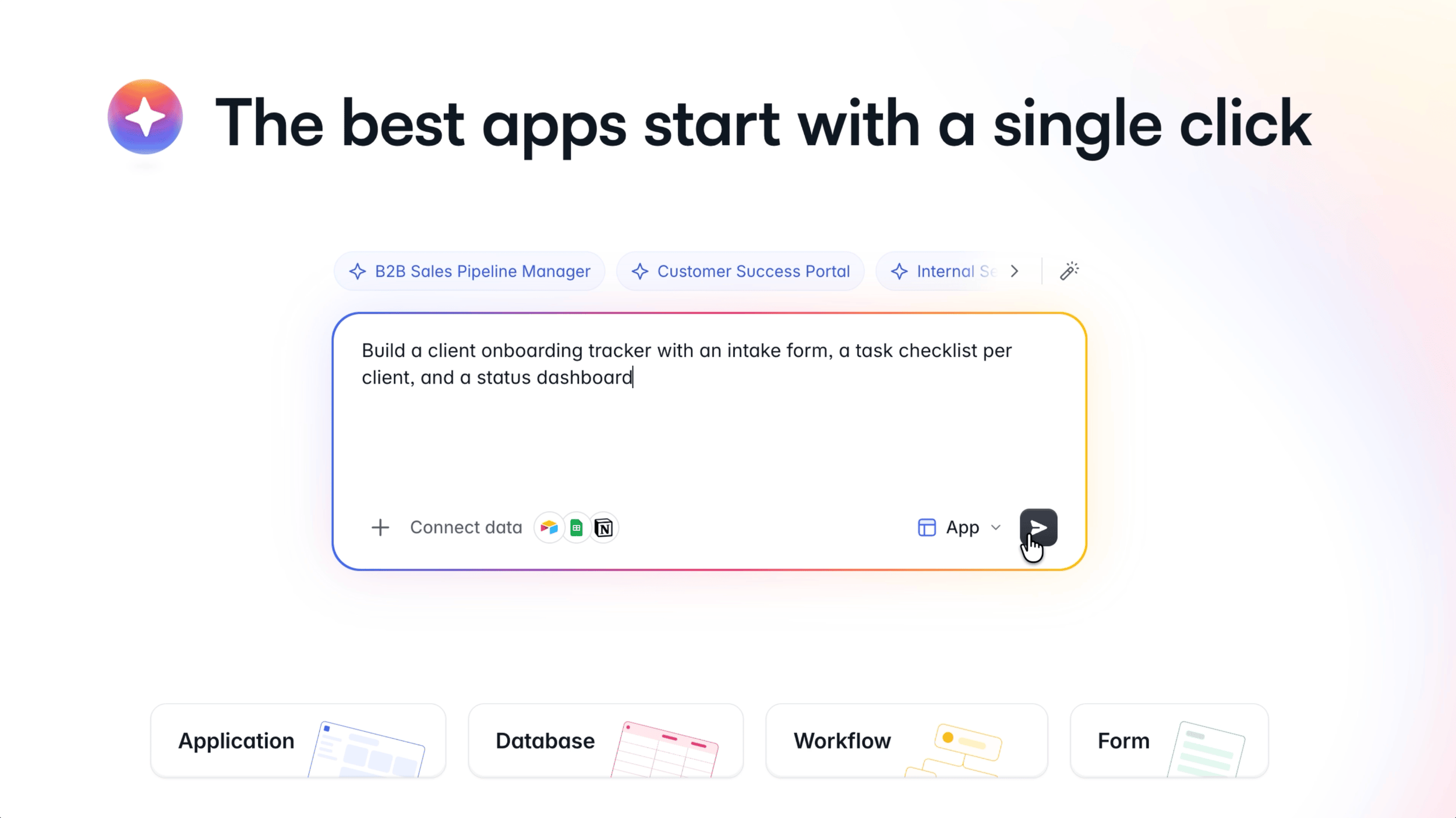
Building a client onboarding tracker from a single prompt in Softr's Co-Builder.
Method One: Prompting Into Softr's Co-Builder
The fastest way into any app is describing it. In Softr, that means typing a single prompt into Co-Builder: build a client onboarding tracker with an intake form, a task checklist per client, and a status dashboard.
Before generating anything, Co-Builder asks a short series of questions: who uses the app (clients, your internal team, or both), how the intake form gets submitted, whether you need multiple onboarding templates, and how people log in. Answering these takes under a minute, and it means the app that gets built actually matches how your business runs, rather than a generic template you have to rework afterward.
From there, Co-Builder builds the database first: Users, Clients, Intake Responses, and Onboarding Tasks, already linked to each other, and populated with sample records so the app behaves like a working system from the first click rather than an empty shell. Every client links to their own intake response and their own set of tasks automatically.
Then it builds the pages: an intake form, a dedicated page for every client, a status dashboard with live counts and charts, and a homepage with role based views, so clients see only their own onboarding status while your team sees everything.
Publish it, Softr's version of deploying an app, and you already have a working, permissioned app to validate, from one prompt. You don't need to be a developer to build software this way, and you don't need to wait until every requirement is mapped out before you start.
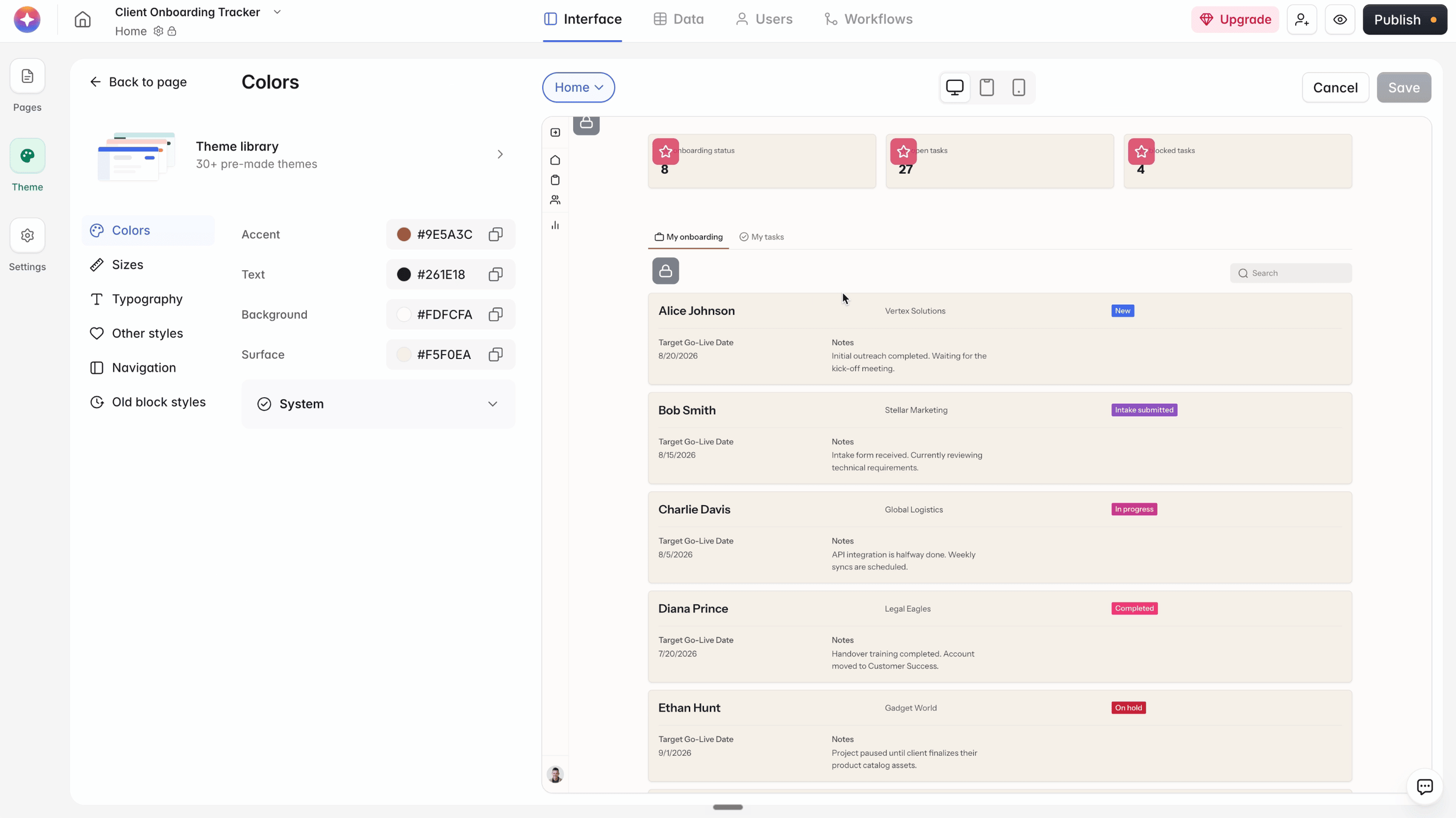
Adjusting fields, layout, and record filters by hand in Softr's visual editor.
Method Two: Making It Yours in the Visual Editor
Prompting gets you the structure. The visual editor is where you shape it into something you'd actually hand to a client.
Every block Co-Builder generated is editable by hand. You can turn fields on or off, reorder them, or hide entire sections, no prompt required. The Source tab controls exactly what data feeds each block, and record filters are the setting that matters most for any client facing app: restricting a block so each client only ever sees their own record, never someone else's, and never your internal notes.
Beyond individual blocks, the visual editor also covers the whole app: grouping pages into folders as your app grows, and adjusting the full visual identity, accent color, text color, background, typography, either by hand or through one of Softr's premade themes.
This is the part most vibe coding tutorials skip entirely, because most AI app builders don't offer it. Nothing here is locked to whatever the AI generated first. It's all yours to shape, without writing a new prompt for every small change.
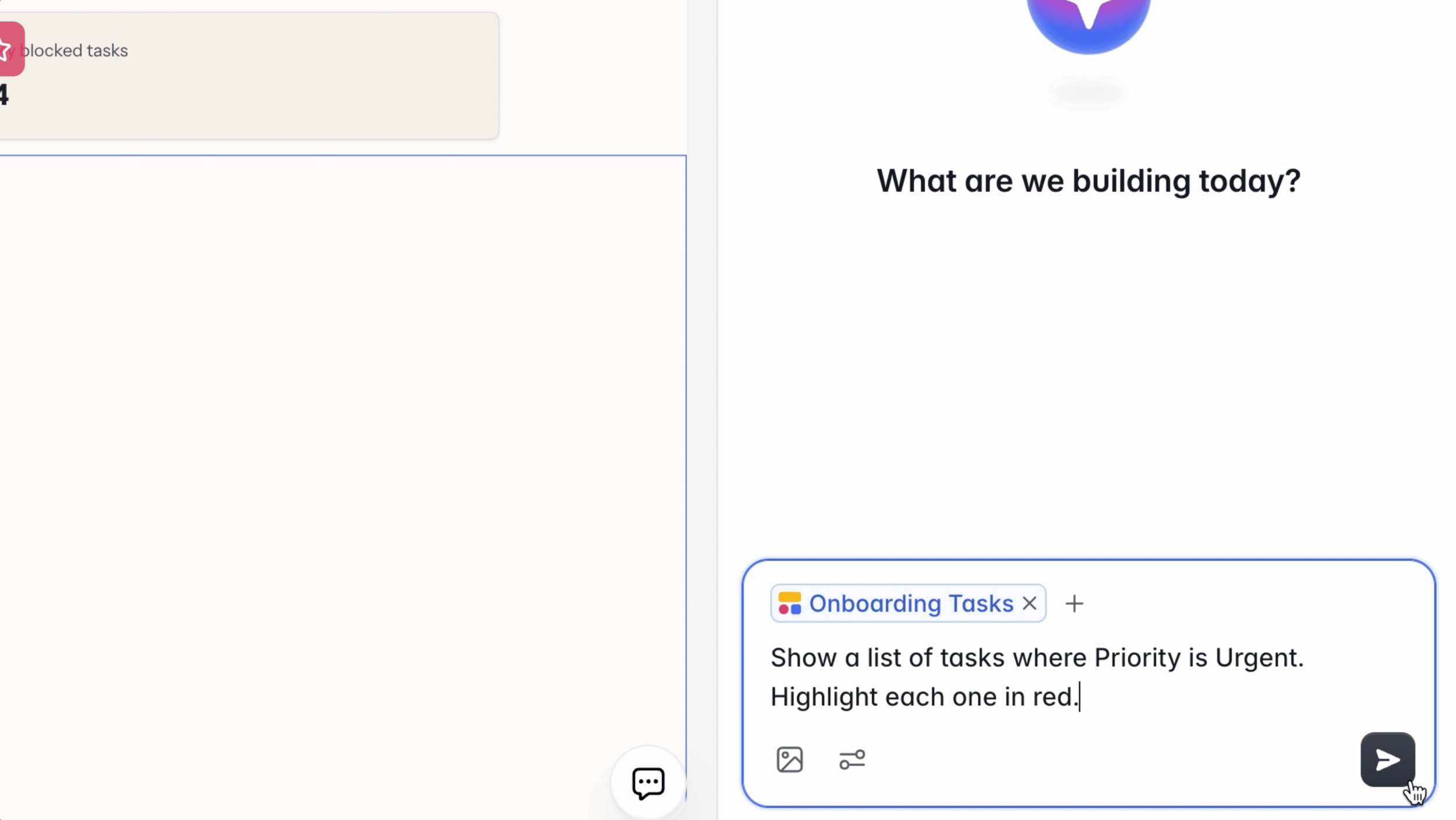
Adding AI-generated logic to an existing page using Softr's Vibe Coding block.
Method Three: Softr's Vibe Coding Block
Prompting builds the app. Visual editing polishes it. The Vibe Coding block is for the part neither one covers well: adding a specific piece of logic to a page you've already built, without leaving the editor or starting over.
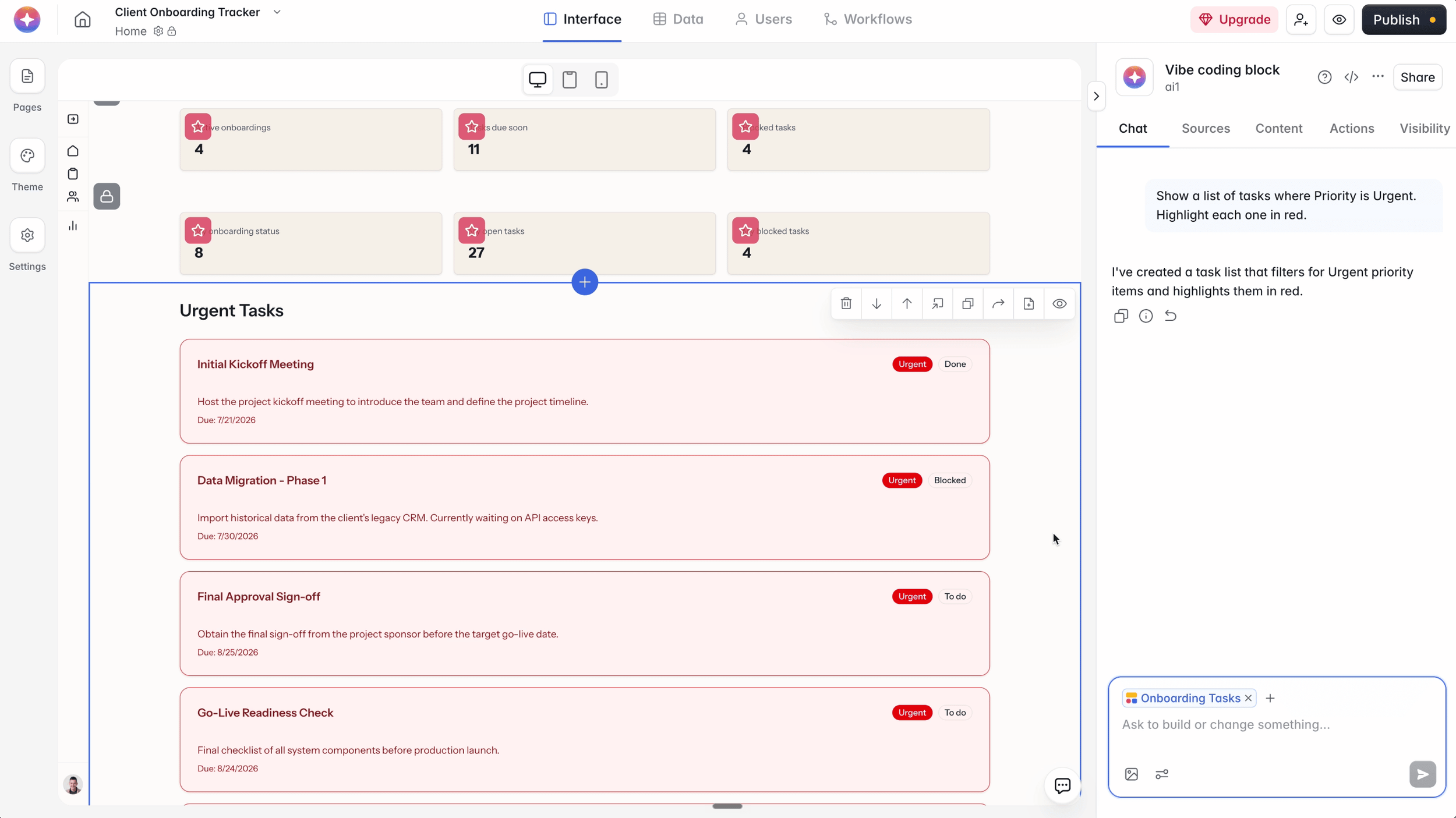
In this tutorial, that meant connecting the block to the Onboarding Tasks table and typing a plain instruction: show a list of tasks where priority is urgent, and highlight each one in red. Within seconds, the block generated exactly that, pulling urgent tasks from every client into a single filtered view, without touching a single setting in the layout around it.
Most vibe coding tools force a choice: stay inside their AI and lose manual control, or take manual control and lose the AI. The Vibe Coding block is Softr's answer to that trade off, letting you drop AI-generated code and logic into work you've already built by hand, and refine it with a follow-up prompt if the first result isn't quite right.
Every user sees a view built around their role. Same app, different experience.
Beyond the Interface: Native Workflows
A tracker that flags problems is useful. One that acts on them is more useful. Softr's native Workflows cover that gap, running automations directly inside the same app rather than through a separate tool like Zapier or Make.
In this tutorial, that meant setting up an automation triggered whenever a client record is updated, notifying the right account owner directly, with a custom subject line and message pulling in real context from that client's notes. No separate automation subscription, no third party connecting two disconnected tools. It's part of the same app you just built.
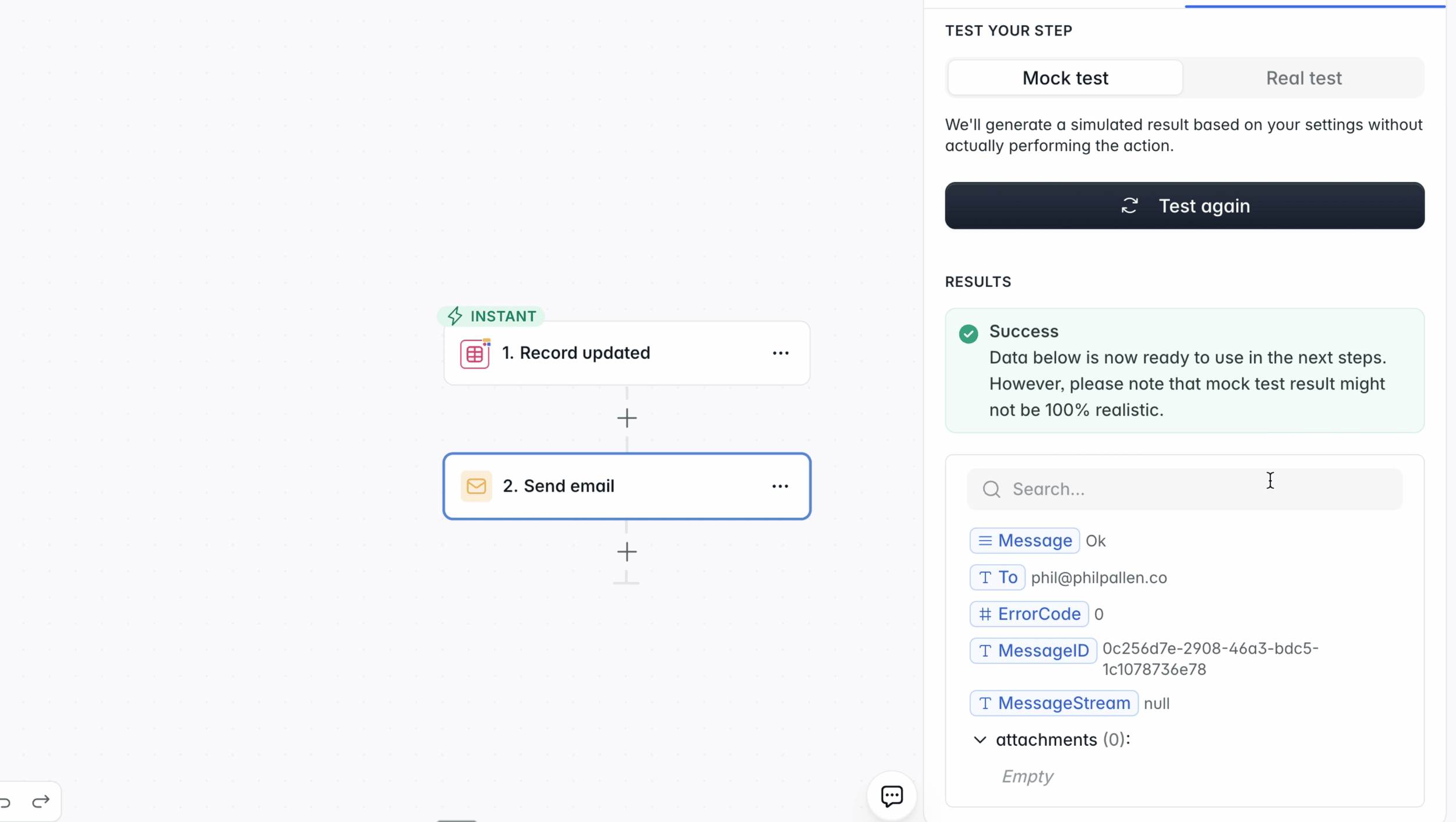
Testing the automation that notifies an account owner when a client record updates in Softr.
Why This Matters More Than a Typical Vibe Coding Tutorial
Most content covering vibe coding treats it as a single skill: writing a good prompt. This tutorial covers three, prompting, manual editing, and targeted AI logic, because that's what building something you'd actually use in a business requires. Most no-code and ai-assisted coding tools force you to pick one approach and live with its limits. Softr is one of the few ai-powered platforms built to support all three inside a single app, which is a meaningfully different approach to software development than most vibe coding tools take.
If you want to see the full build in action, including every prompt used and every setting adjusted, the complete walkthrough is linked below.
Try Softr free and start building your own app or internal tool