Best AI App Builder for Internal Tools in 2026: How I Built a Working CRM With One Prompt
This post contains affiliate links, meaning if you click through and make a purchase, I may earn a small commission at no extra cost to you. I only recommend products I personally use and believe bring value to my audience.
Most businesses are stuck in one of two traps. They're paying for vertical software that does way more than they need, or they're running everything through spreadsheets that only one person understands. There's a third option: building internal tools with AI, without a developer, without code, and without starting over every time something changes.
I've been doing this for my own agency. In this article I'm walking through exactly how it works using Softr, which in my opinion, is the best AI app builder I've found for internal tools in 2026, no doubt.
Why App Building With AI Changes Everything for Internal Tools and Business Operations
Off-the-shelf software is designed for everyone, which means it fits no one perfectly. You pay for features your team never uses, adapt your workflows to the tool instead of the other way around, and still maintain a spreadsheet on the side because the app doesn't quite do what you need.
Custom internal tools fix all of that. The data fields make sense for your operation. The views show what your team actually needs to see. The permissions are set up correctly from day one. And with the right no-code AI app builder, you can build the app yourself in an afternoon without writing a single line of code.
The shift from buying software to building internal tools is one of the more practical things a small business or agency can do. Stop paying for features you'll never use. Start working with a tool that fits your exact process.
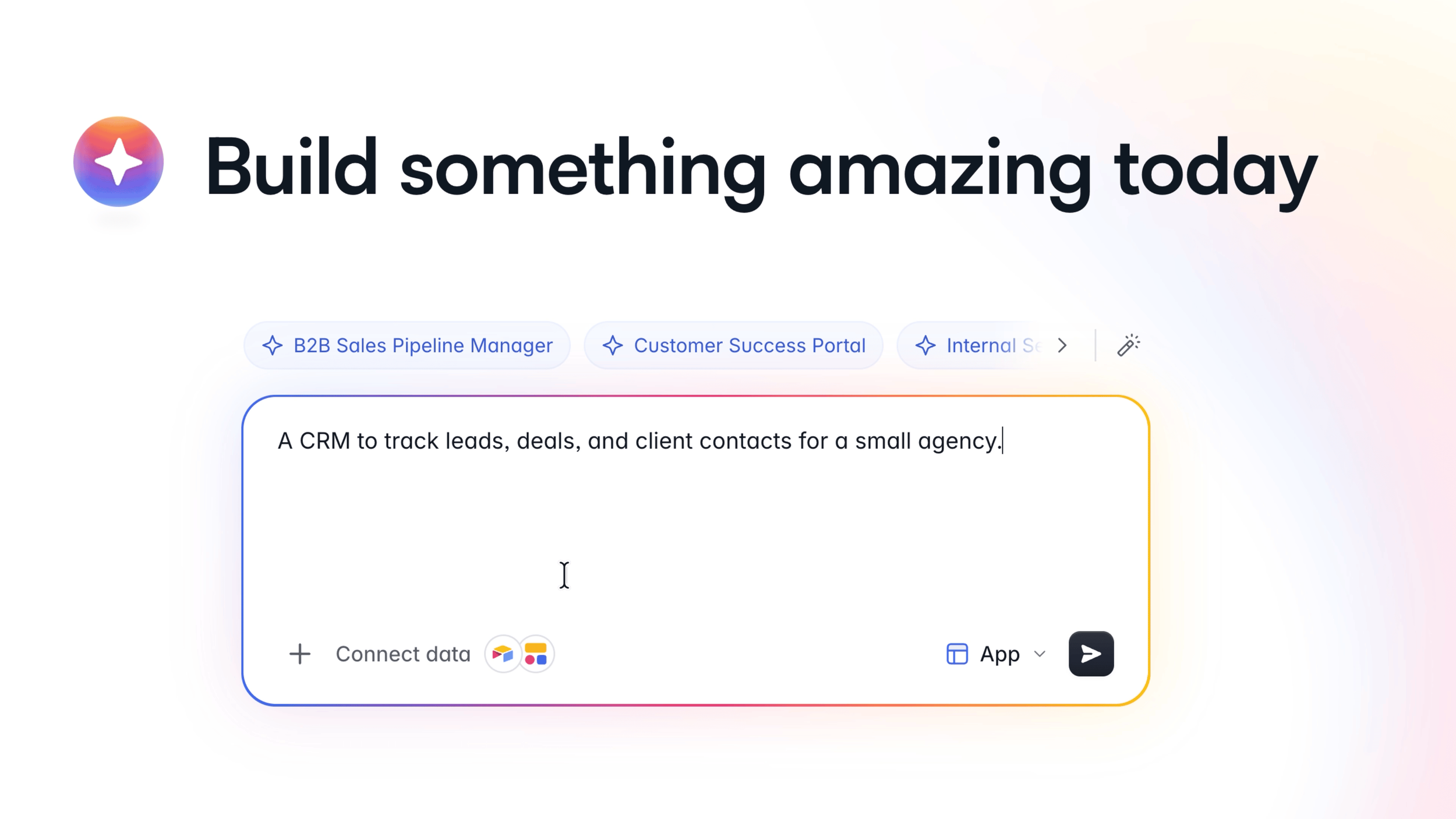
Type what you need. Softr builds the rest.
What Makes the Best AI App Builder in 2026
App Creation vs. App Generation: What to Look For
The difference between a basic no-code app builder and a great one is what happens after the AI generates the initial build. Can you keep editing without starting over? Can you switch between AI prompting and visual editing as your needs change? Does it connect to the data you already have in other tools?
The best platforms make app creation feel like a conversation rather than a configuration task.
AI Assistance That Goes Beyond Templates
Strong AI assistance means the app reasons through your requirements rather than filling in a generic template. When you describe the app you want to build, the AI should generate the full structure: tables, relationships, roles, and pages, all connected and ready to use.
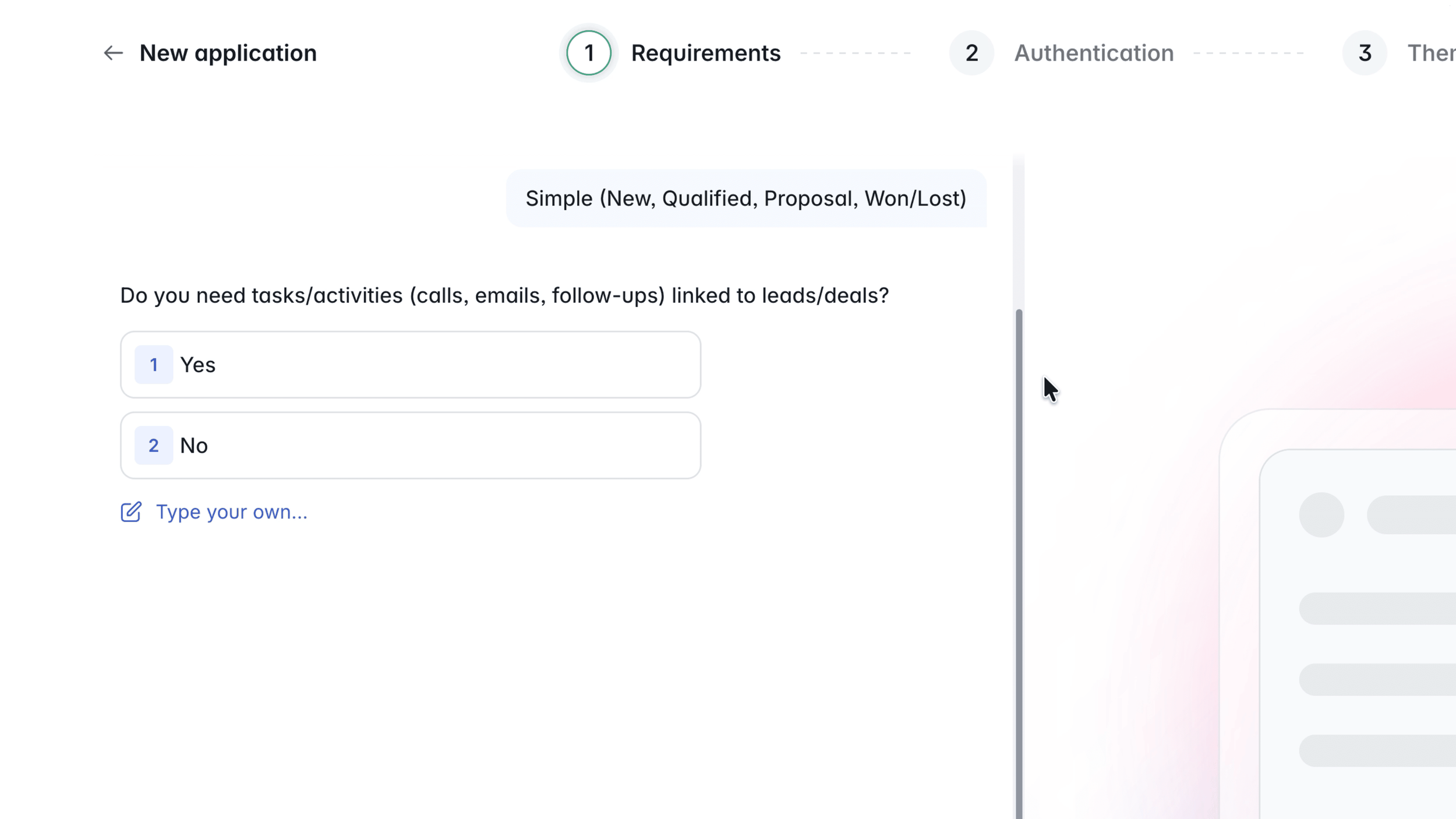
Before it builds, Softr asks the right questions. Pipeline stages, user roles, task tracking. It feels like a conversation, not a configuration screen.
How to Build an App Fast Using Softr's AI Co-Builder
I want a CRM to track leads, deals, and contacts for a small agency. In Softr, I type that as a plain language prompt and the AI Co-Builder handles the rest.
Before generating the app, Softr asks a few quick setup questions: What deal pipeline stages do you want? Do you need tasks linked to your leads and deals? Will you have different user roles with different access? These feel like a conversation, not a configuration screen. You're not setting up a database schema or writing any logic. You're just answering questions.
Then you choose authentication settings (email, Google, or SSO), set whether users can sign up on their own or only by invite, pick a visual theme, and hit create.
What the AI App Builder Generates Automatically
This is where Softr separates itself from other AI app generators. It doesn't drop in a template. It reasons through your specific requirements and builds:
A native database with the right tables and fields (Leads, Contacts, Deals, Tasks, Users)
Relationships between every table, correctly linked from the start
User roles with separate access levels (Admin sees everything, Sales sees their own records)
64 sample records across four tables so the app looks and feels real immediately
A home dashboard, lead detail pages, deal detail pages, and a task tracker
That's a full-stack app from one prompt. App in minutes, not weeks. No developer. No code.
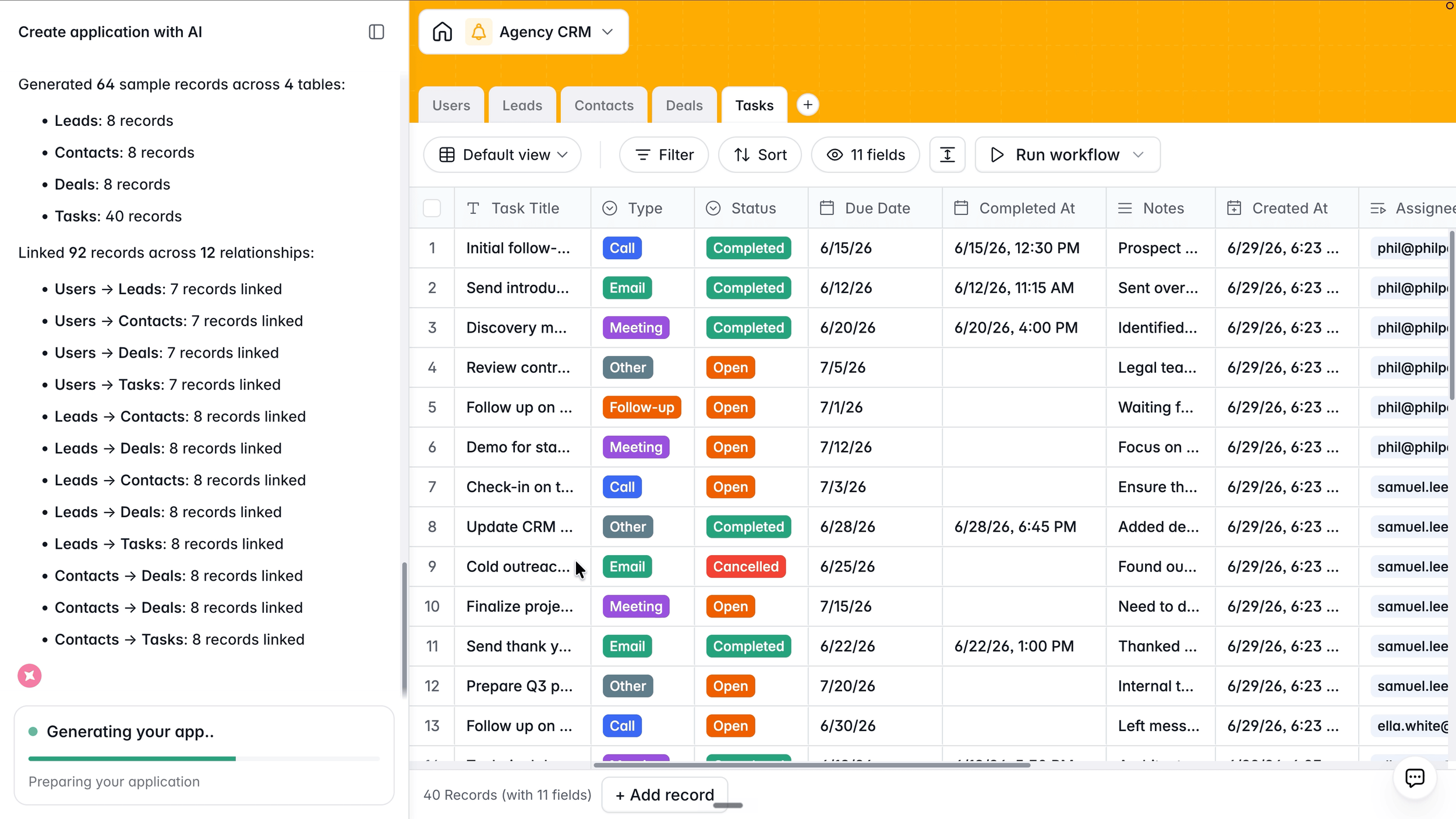
One prompt generates tables, relationships, roles, and pages. All connected from the start.
Touring the Working App: What Your Team Actually Sees
Once the build is done, you have a functional app your team can log into and start using that same day.
The Home Dashboard
Each user sees their name, open deals, open tasks, and overdue tasks at the top. Below that, a live feed of what's due next, tagged by type (call, follow-up, meeting) and linked to the relevant lead. No separate task manager. No sticky notes. Everything in one place.
Build Internal Lead and Deal Pages That Work
Every lead has a full record: status, source, email, phone, website, notes, owner, and primary contact. Related tasks, deals, and contacts are all linked and accessible from the same view. No digging through emails to find context. It's all there.
Every deal shows amount, expected close date, probability, next step, linked contacts, and open tasks. Edit and delete actions are included. This is a production app layout, not a placeholder.
The Leads page also includes an AI assistant built in, so reps can query their own data without knowing how to filter or sort anything manually.
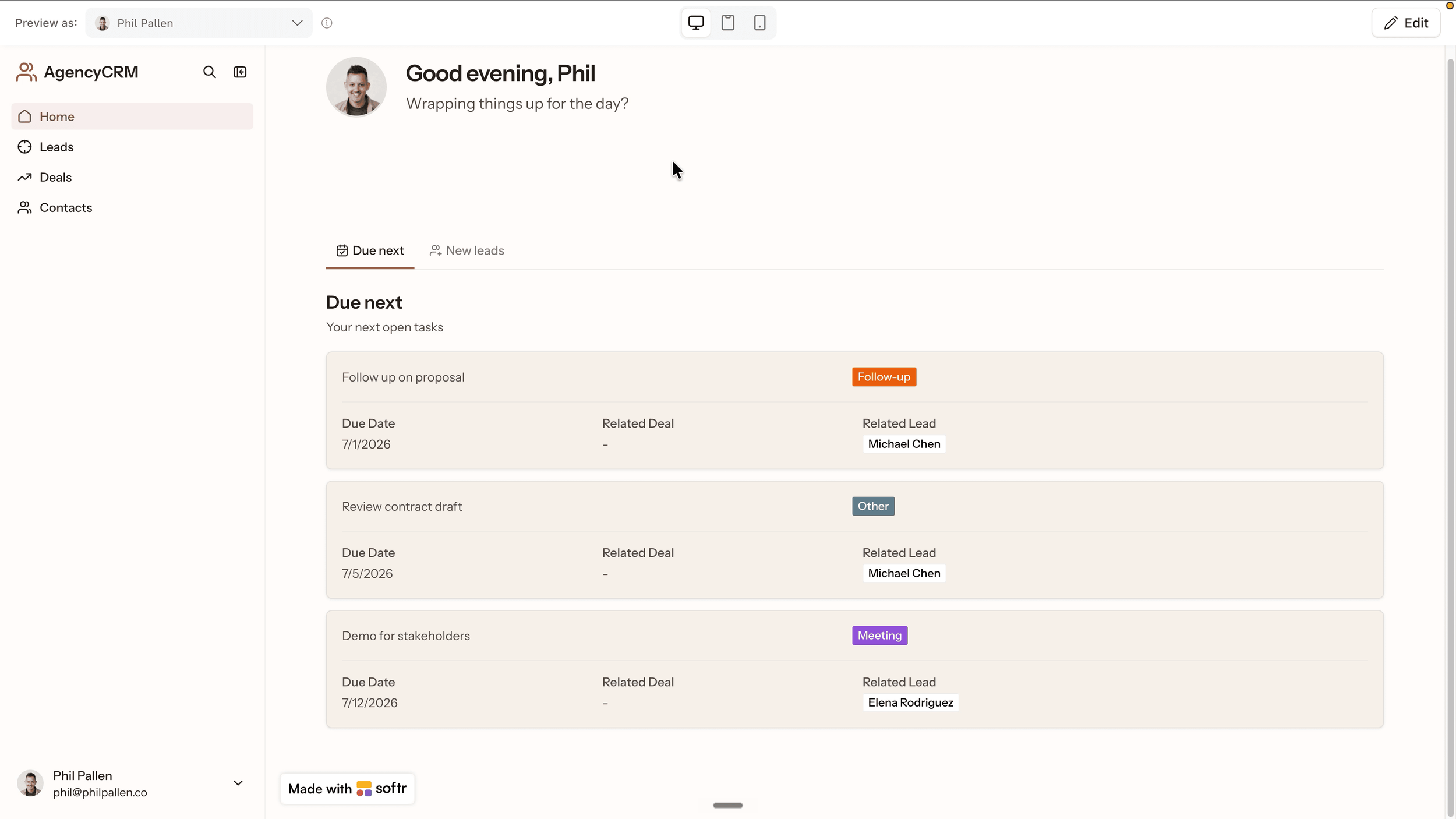
Every user sees a view built around their role. Same app, different experience.
The Visual Builder: No-Code App Editing After the AI Builds
After the AI generates your app, you're not locked in to what it created. Softr's visual builder lets you keep shaping the app as your workflows evolve. This is what makes the platform a true web app builder, not just an AI app generator.
Build the App Your Way With Drag and Drop
Want a Kanban board to track deal stages? Add it visually without touching a prompt. Want to change which fields Sales users see versus Admin users? Adjust it in the editor. Need a payment status field that only appears once a deal is marked Won? Conditional visibility handles that in a few clicks.
AI App Building Without Starting Over
You can go back to the Co-Builder at any point. Describe the change in plain language and it updates the app without rebuilding from scratch. That's the core idea behind no-code AI app building: you build it once, then keep refining it as your business changes. The app grows with you.
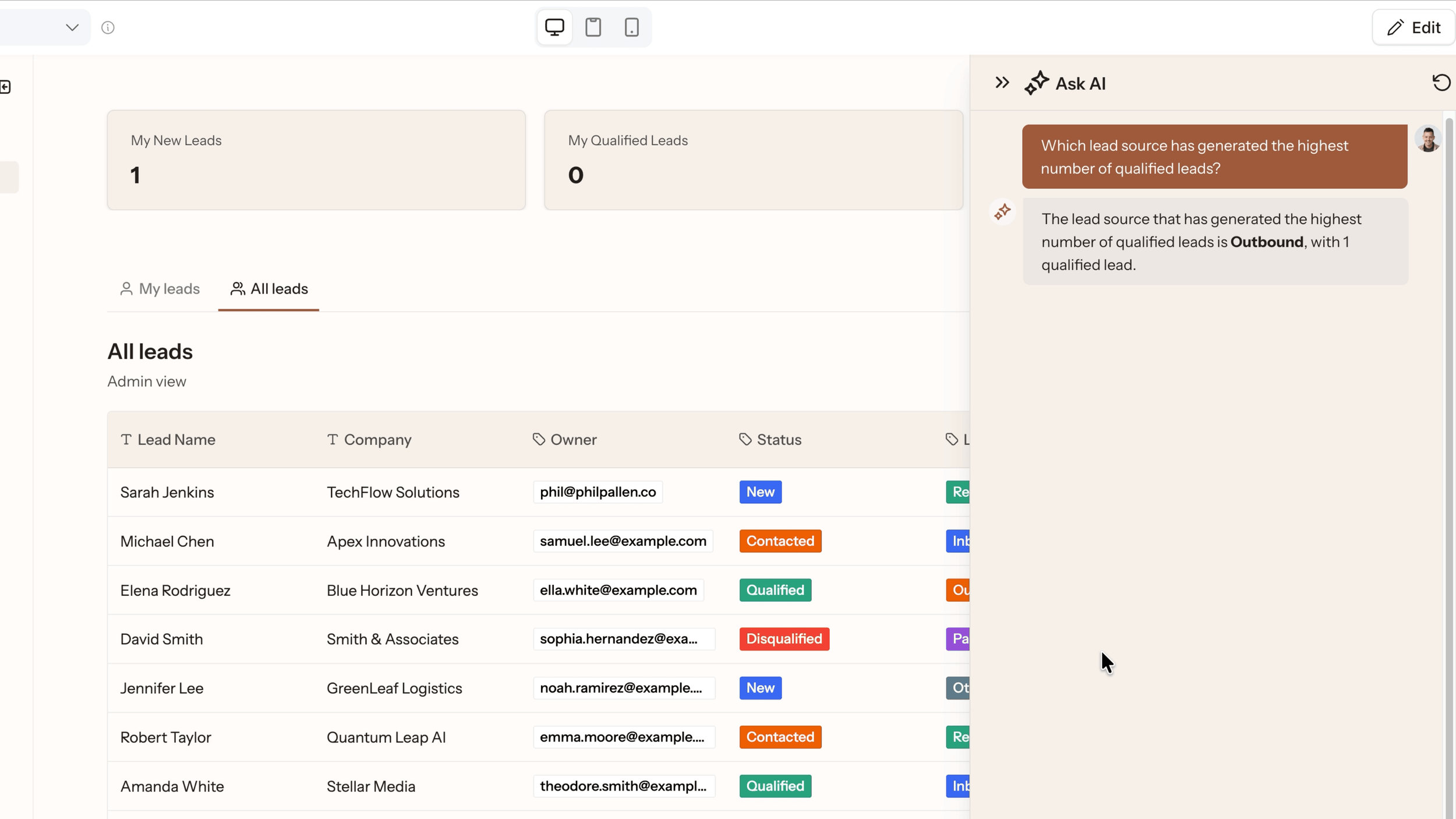
The AI assistant is built into the app. Reps can query their data without knowing how to filter anything.
A Second App Idea: The Vendor and Freelancer Hub
The CRM is one example. Here's another, because the use cases for apps with AI go much further than most teams realize.
Build Apps for Freelancer and Vendor Management
I built a vendor hub for my own agency using Softr. It's branded with my logo and has tabs for Vendors, Pricing, Tasks, and an AI recommender I built using Softr's Vibe coding block. Every vendor is listed with their approval status, star rating, category, and a notes field where I added context like "Hits every deadline" or "Ghosted mid-project."
I have a full dedicated video walkthrough of how I built that specific app. Link is in the description.
AI App Builders to Create Role-Based Portals
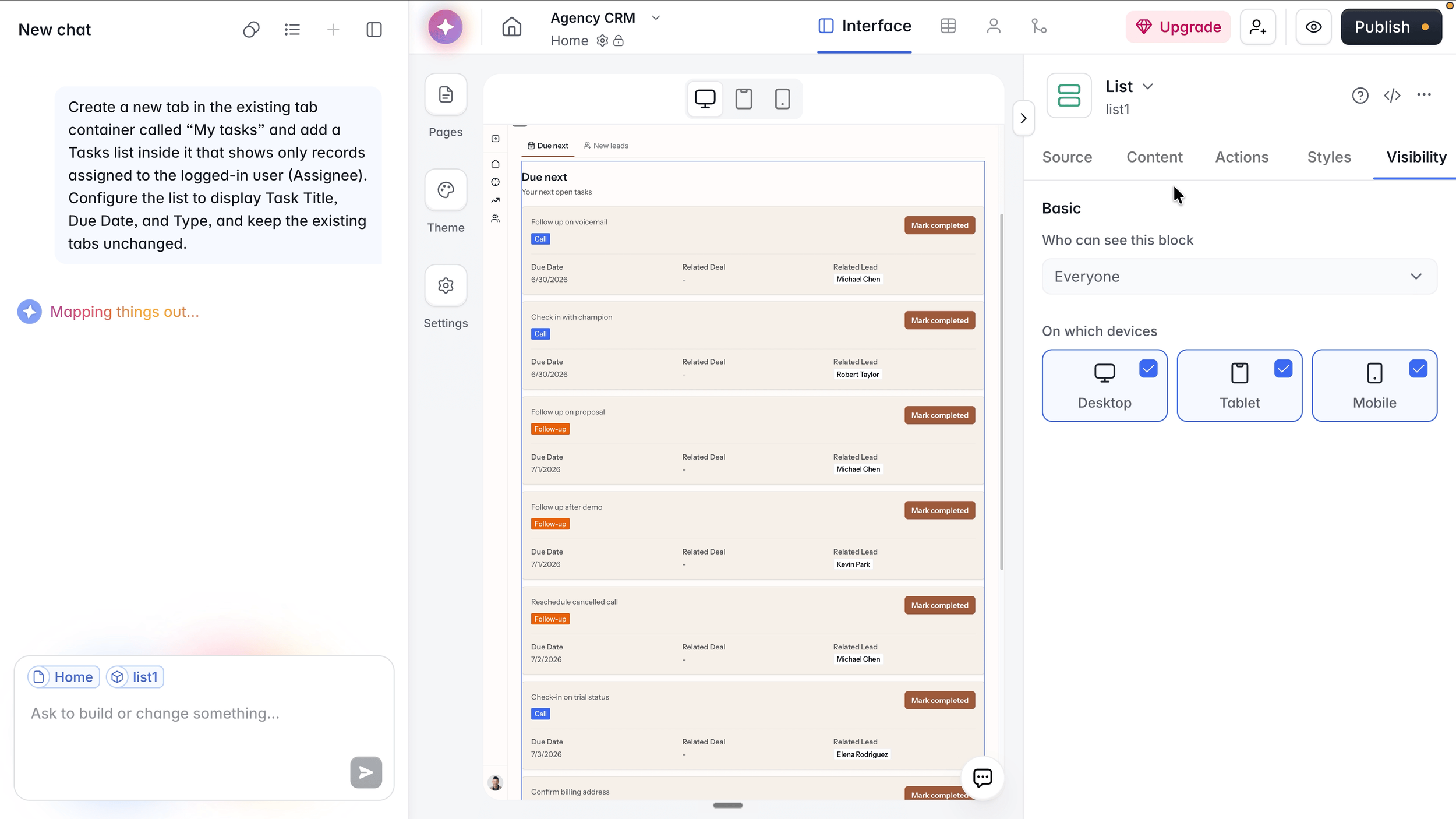
Describe a change in plain language. Softr maps it out and updates the app without rebuilding from scratch. Control who sees each block, and on which devices.
The core principle is the same across all internal tools: describe the app you want to build, let the AI generate the structure, then set permissions so each user sees only what they're supposed to. Freelancers log in and see their own assignments, submissions, and payment status. The internal team sees everything. Permissions are set automatically based on user roles.
No email threads. No shared Drive folders. One working app, the right access for each person.
Agent Builder and Workflow Automation Inside Softr
Building the tool is half of it. The other half is what happens automatically after someone takes an action inside the app. Softr Workflows function as an agent builder for your internal processes, handling the follow-up so your team doesn't have to.
Apps With AI Automation Built In
Inside the Agency CRM I built for this article, I set up a workflow called "New Task on Closed Won." When a deal record is updated to Closed Won, Softr instantly creates a new task in the Tasks table. The trigger fires the moment the stage changes. No manual step. No one has to remember to do it.
More Workflow Examples for Internal Tools and Business Processes
A freelancer submits a deliverable. The internal team gets a notification automatically.
A new lead comes in from a form. It gets assigned to a sales rep and a follow-up task is created.
A contractor's payment is marked complete. They get a confirmation email without anyone sending it manually.
The trigger picker connects to Softr Databases, Gmail, HubSpot, Airtable, Google Sheets, Calendly, Docusign, and more. No Zapier required, though you can connect to Zapier, Make, or n8n if you want to extend further.
Best Practices for AI App Development With Softr
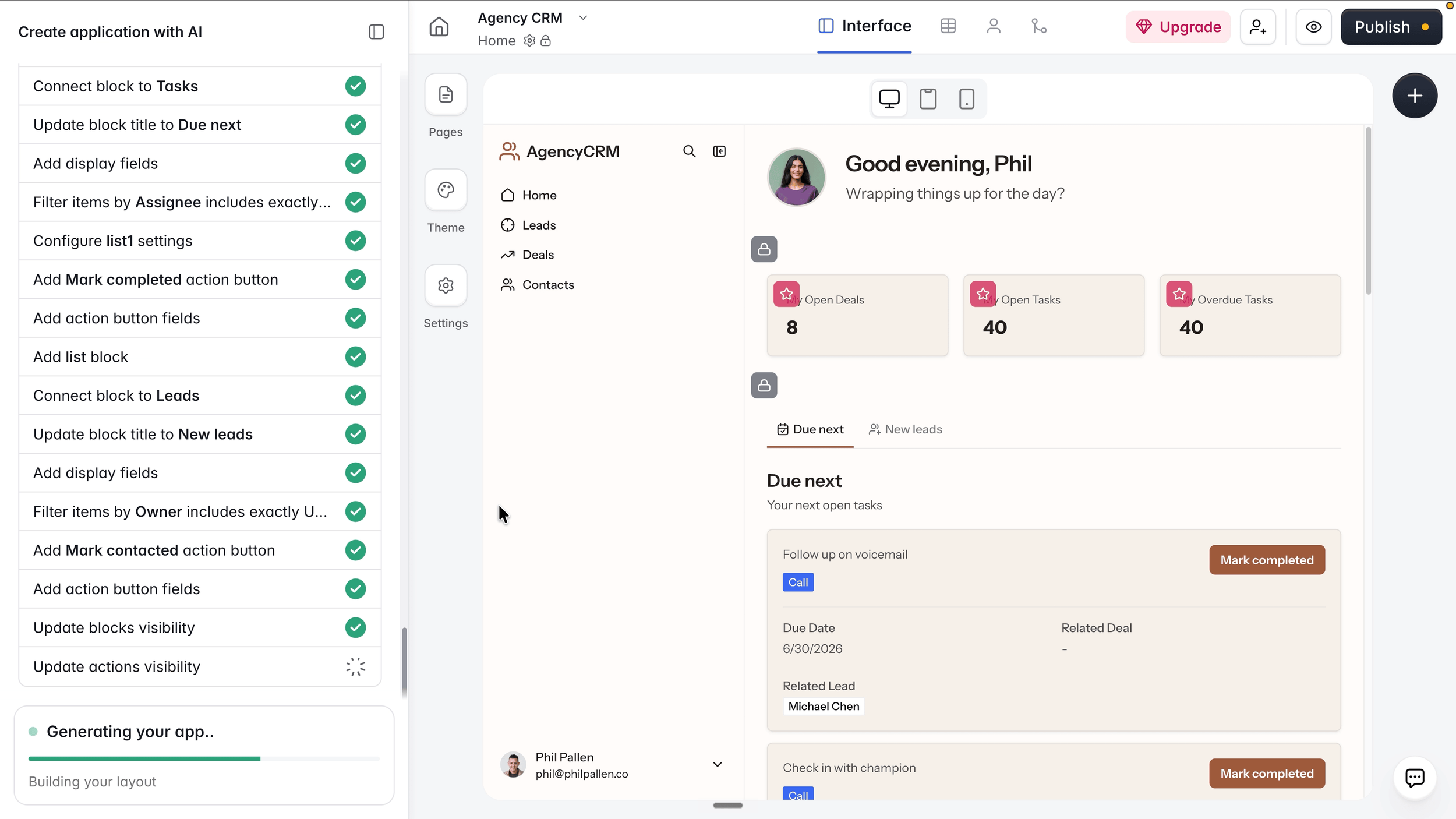
The AI works through every detail while the app takes shape on the right. You watch it happen in real time.
A few things worth knowing before you start building:
Start with a specific prompt. The more detail you give, the better the AI generates the initial structure. "A CRM for a small agency to track leads, deals, and contacts" produces better results than "a sales tool."
Let the build finish before editing. The Co-Builder makes decisions across multiple tables at once. Editing mid-build can create conflicts.
Use the visual builder for layout, the Co-Builder for logic. Each one has a distinct job. Keep them separate and the process stays clean.
Check permissions from every user role before publishing. Softr makes this easy with a one-click preview toggle. Use it before your team logs in for the first time.
Softr offers a free tier so you can start app building without upfront cost and see what the platform produces with your specific use case before upgrading.
The Best AI App Builder for Internal Tools: Final Thoughts
The best AI app builder for internal tools in 2026 goes from prompt to production app without a developer at any step. The AI Co-Builder generates a full-stack app in minutes. The visual builder handles everything after that. Native databases and 16+ data source connections cover any data setup. Workflows automate the manual parts.
If your team has a process running on spreadsheets and follow-up emails right now, this is what replaces it. App creation without coding, app building without a developer, and a working app your team can use from day one.
Try Softr free and start building your own app or internal tool
Mobile App and Full App Access Without Extra Design Work
One thing worth highlighting: any internal tool you build in Softr also works as a mobile app. Softr's PWA feature lets you turn the web app into a downloadable app in one click, with no additional design work. The same app your team uses on desktop works on mobile, with a bottom navigation layout optimized for smaller screens.
For teams where some members are in the field, on job sites, or working remotely from their phones, this matters. The working app isn't just a browser tab. It's an app they can add to their home screen and use like any native mobile app.
This is part of what makes Softr a practical platform for building internal tools rather than a demo environment. You build the app once. It works everywhere. Admin users get the full desktop view. Field teams get a mobile app experience. Both are running on the same data, updated in real time.
App creation without coding, mobile app access without a separate build, and a full-stack app your whole team can use from any device.