Flodesk Studio Review: I Got Early Access and Here's What It Does
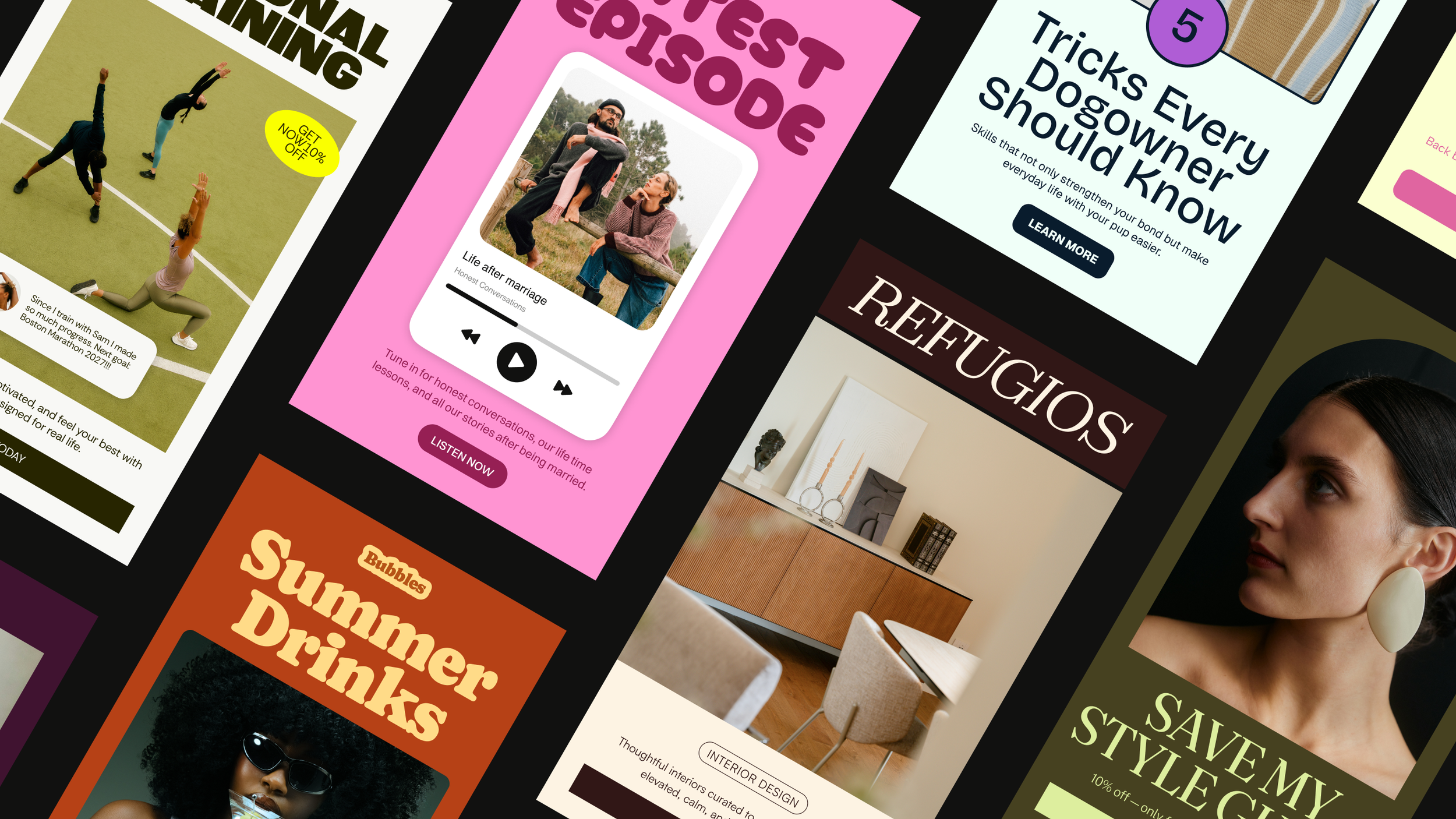
Flodesk Studio generates three template options from a single prompt, each styled with your actual brand colors and fonts.
This post contains affiliate links, meaning if you click through and make a purchase, I may earn a small commission at no extra cost to you. I only recommend products I personally use and believe bring value to my audience.
If you've ever stared at a blank email and thought "this should not be this hard," Flodesk Studio was built for that moment.
Flodesk Studio is the best email design tool I've used, and right now it's completely free. It pulls in your brand automatically, builds a full email from one prompt, and lets you export the HTML to any email provider you're already on. Nothing else does all three.
I got early access to Flodesk Studio before it launched publicly, and I've been using it with my own brand and with clients. This is my honest review of what it does, what makes it different from every other email builder I've used, and why I think the timing matters for those considering a platform with a robust free feature.
What Is Flodesk Studio?
Flodesk Studio is a standalone email design app. It's separate from flodesk.com, though it connects to it. You describe the email you need in plain language, Studio builds it using your actual brand, and then you refine it. In chat, or pixel by pixel in the builder.
The part that sets it apart from every other email marketing platform I've reviewed: when you're done, you can export the HTML and send from any email platform you're already using. Mailchimp, Kit, Beehiiv. It doesn't matter. No other tool does this.
It's completely free right now while it's in beta. No credit card required. There are no feature restrictions during beta, and no caps on how many emails you can build or export.
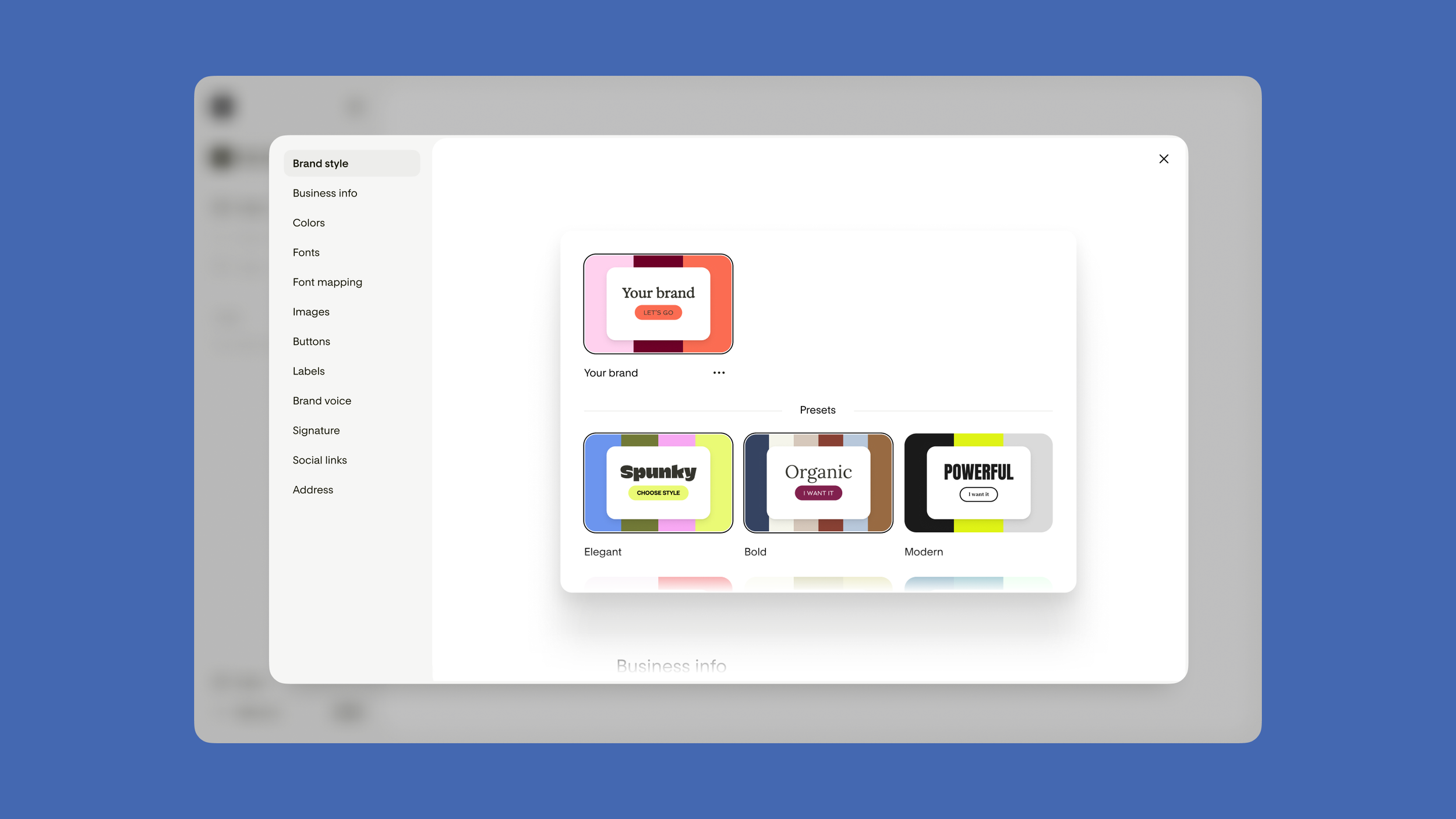
Setting up your brand in Flodesk Studio takes just a few minutes. If you're already a Flodesk member, your colors, fonts, and logo carry over automatically.
How the Brand Setup Works
The first thing Studio asks you to do is set up your brand. Business name, a short description, colors, fonts, logo, and a brand image.
If you're already a Flodesk member, this part is almost instant. Studio pulls your existing brand assets straight in. Your hex codes, your typography, your logo. I didn't upload a thing and it had everything right.
I also set Studio up for my client Betsy Gardner, who runs Human in the Room, a leadership and professional development brand built around presence, judgment, and trust. Studio pulled in her navy and orange palette automatically and matched the clean, editorial feel of her website.
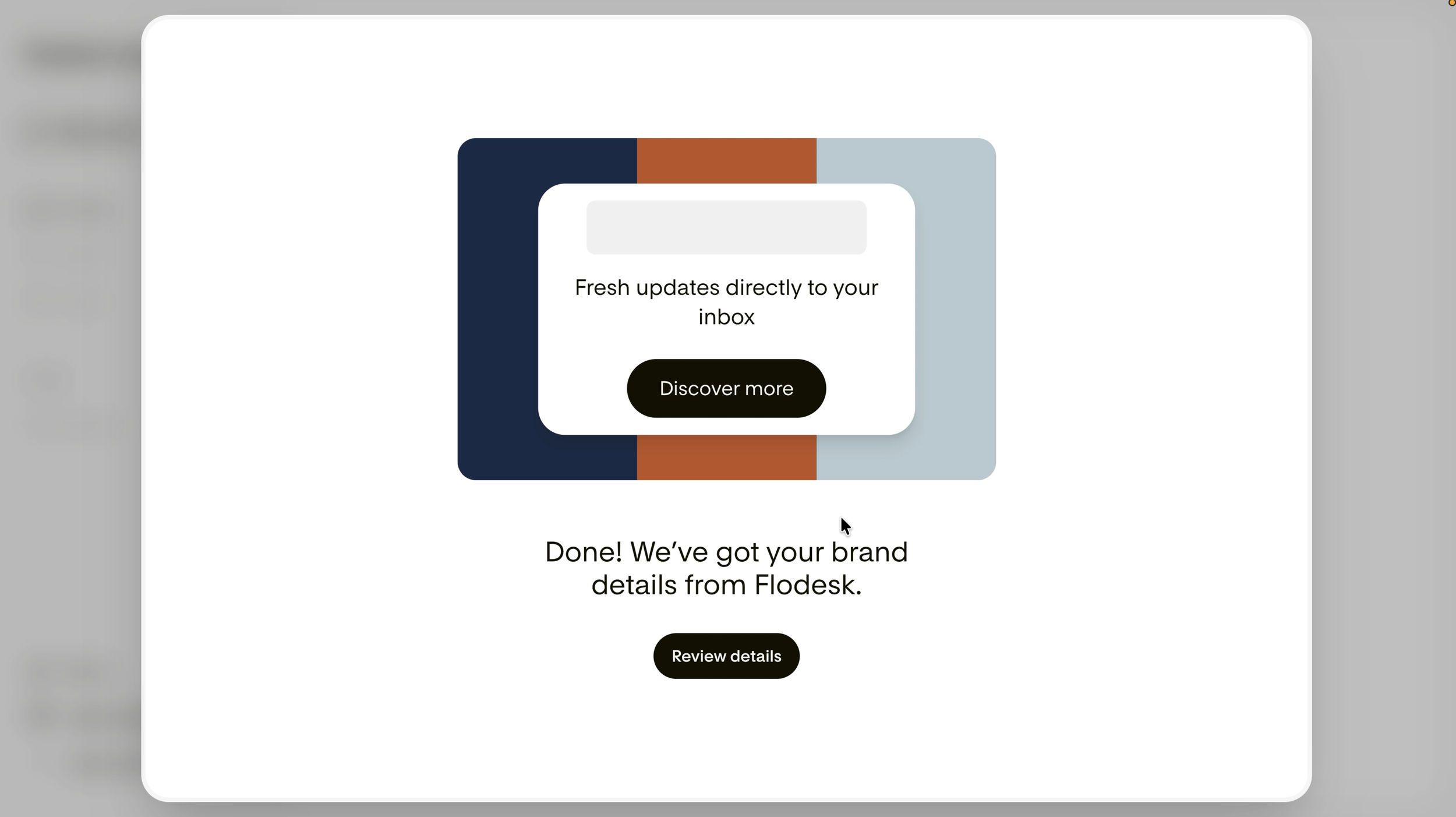
Flodesk Studio pulled Betsy's exact brand colors straight from her website automatically, no hex codes, no manual setup required.
You set your brand once. Every email you build after that starts from that foundation. The current beta supports one brand profile per account.
Building an Email from One Prompt
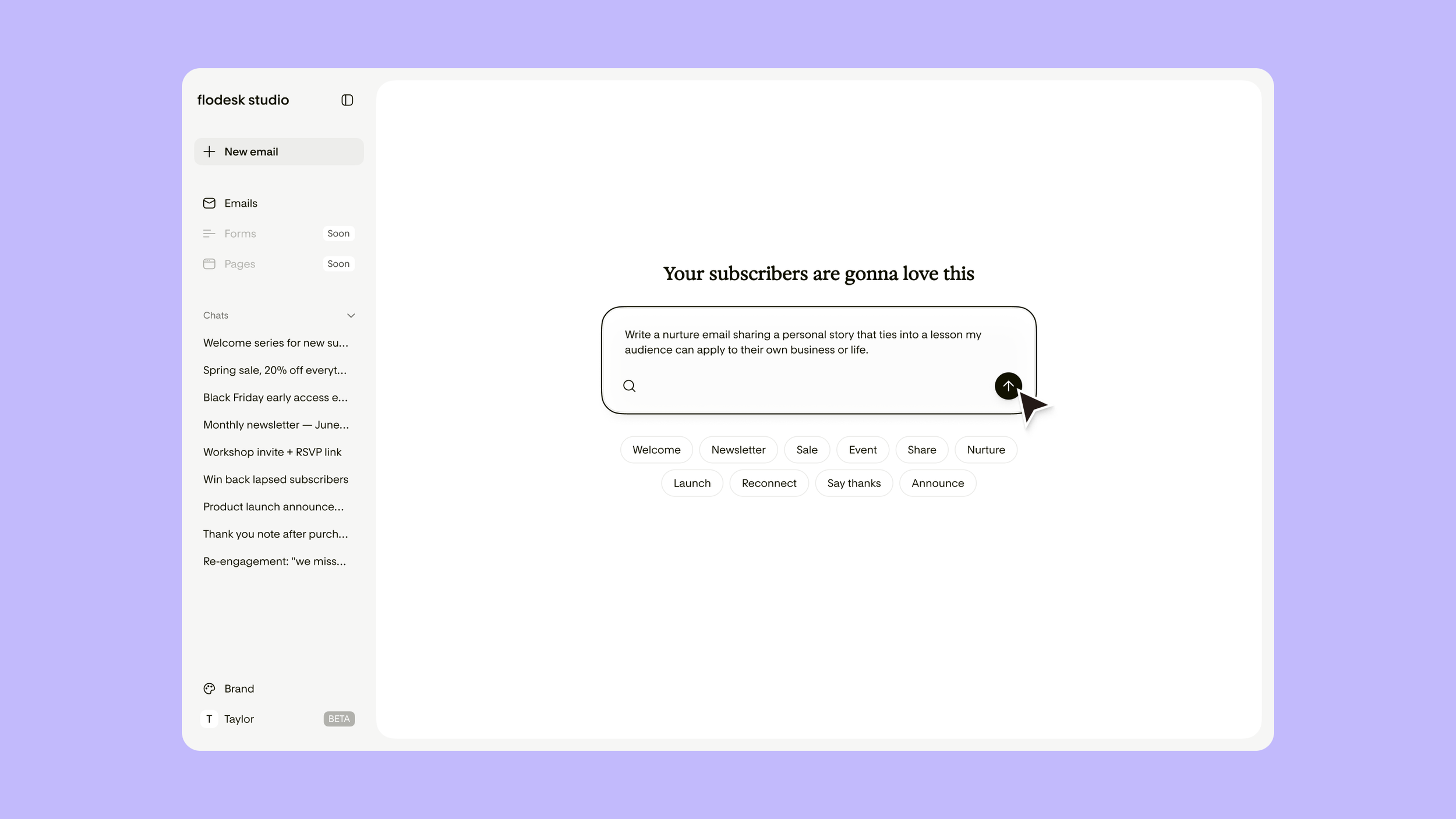
Type what you need in plain language and Flodesk Studio builds a complete, on-brand email in under five minutes.
This is the core of what Studio does. You describe what you need in plain language and Studio generates three template options. For the Human in the Room demo, I typed a prompt asking for a launch email promoting Betsy's new book. Studio came back with three options. A bold visual layout, a more editorial banner style, and a plain text version with structure and clear hierarchy. The plain text option was closest to what the brand actually sends, and it matched the voice and format without me having to describe either. From there I made two quick refinements in chat. The whole process took under five minutes from first prompt to a ready-to-send email. That's not an exaggeration.
The Manual Builder
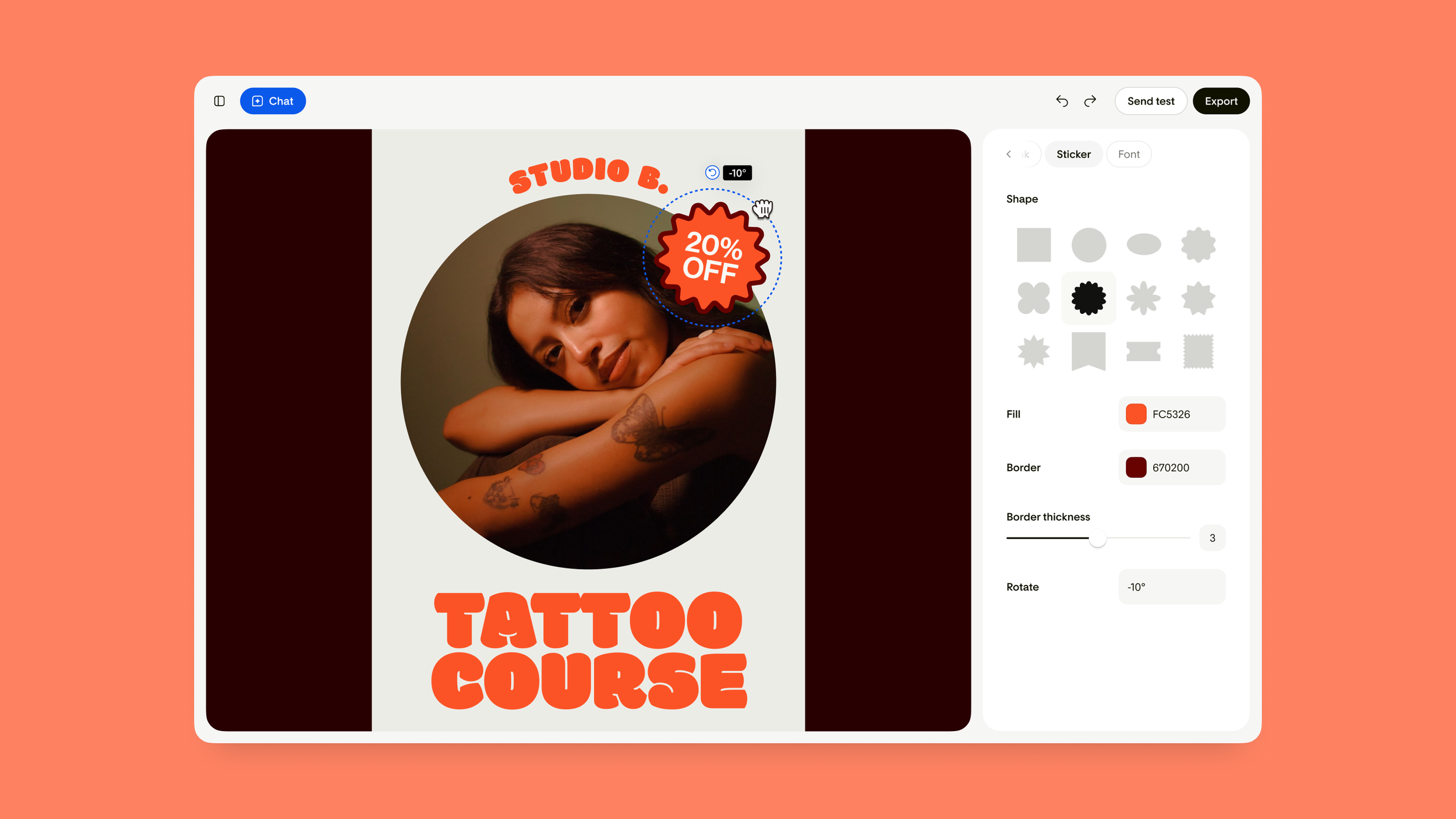
The manual builder lets you click, drag, and rotate design elements anywhere on the canvas to get your email looking exactly the way you want it.
Chat refinement gets you most of the way there. The manual builder is where you finish it. You can click and drag elements around the canvas. Rotate stickers. Resize content blocks. Adjust fonts globally or section by section. It feels, and I say this as someone who has spent over a decade building brands, much more like a creative design tool than a standard email builder. That's by design. Flodesk's creative team built thousands of design components by hand. The AI runs on that foundation. So everything you touch has craft underneath it. It doesn't look like AI made it. Because, really, it didn't. Real designers built the system, creating a user-friendly interface that rivals Klaviyo. The AI applied your brand. You finished it.
The Feature No Other Email Marketing Platform Has
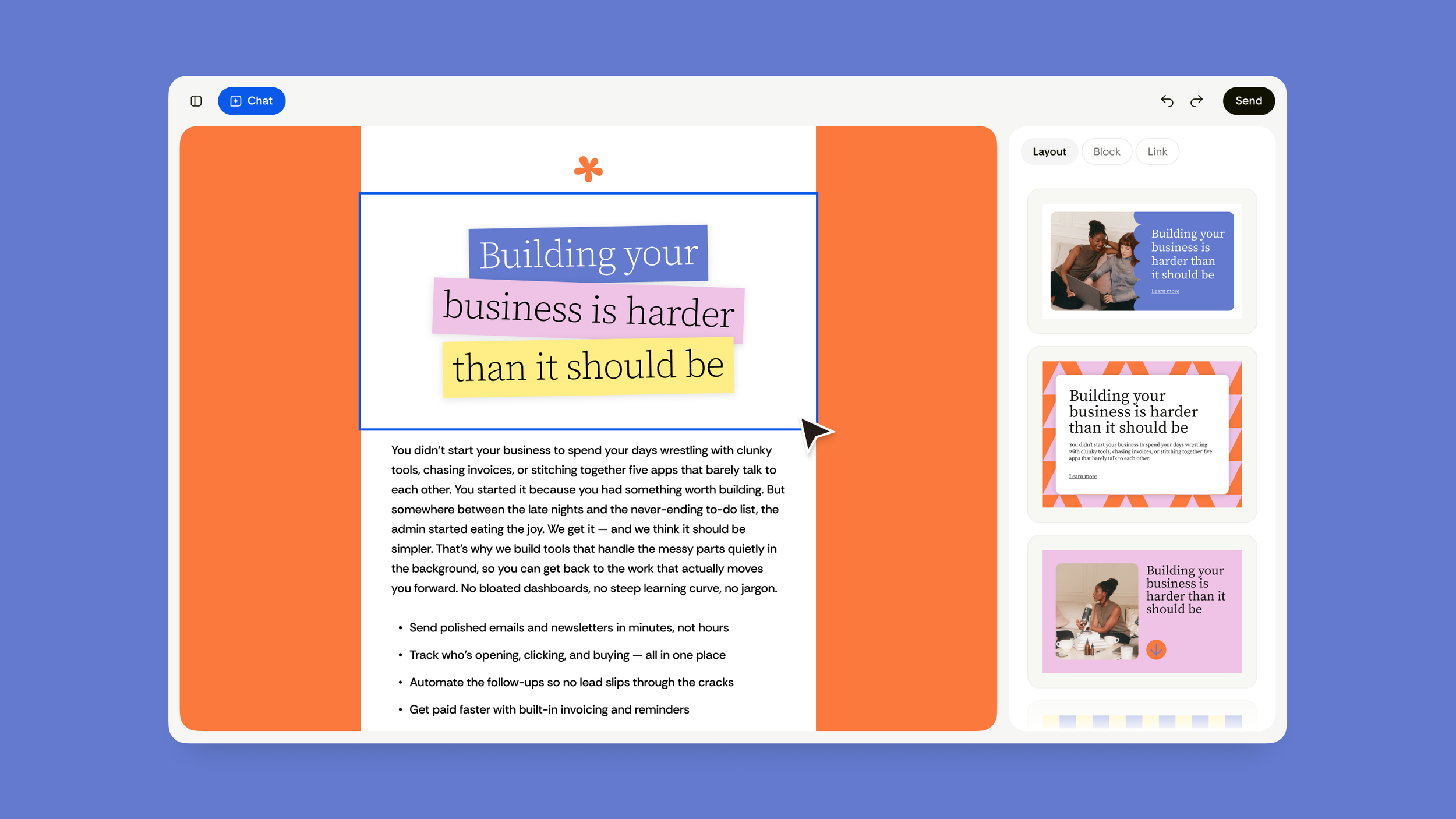
Flodesk Studio exports clean HTML you can paste into any email provider you're already using, though once you see what Studio can do, switching to Flodesk becomes a pretty easy decision.
When your email is ready, you have two options. If you're a Flodesk member, you export directly to your account and enter your normal send flow. Everything carries over cleanly, making it easy to transition from other platforms like Klaviyo. If you're not on Flodesk, or not ready to move your subscriber list yet, you export the HTML and paste it into whatever platform you're already using. Mailchimp, Kit, Beehiiv. Any of them. You design in Studio and send from wherever you are. I haven't seen another email marketing platform do this. It treats design as its own craft, separate from delivery. For anyone who's been on the fence about Flodesk but isn't ready to migrate, this removes that barrier completely.
What's Actually Powering It
This is worth understanding, because it matters. Most AI tool launches right now follow the same story: AI does it for you, you just supervise. Flodesk didn't build that. The foundation of Studio was built by real designers. People on Flodesk's team across Barcelona, Vietnam, and California obsessing over the small business aesthetic. The AI is trained on that work, not on your data. Your subscriber lists, your campaign history, none of that is used to train the model. Your data stays yours. What that means in practice is that the output feels like a designer touched it. Because one did.
How This Fits With the Rest of What Flodesk Does
If you've followed my Flodesk content, you know I've covered two other recent updates worth knowing about. Earlier this year, I walked through Flodesk's new workflow and automation features, including multiple triggers, instant-fire branching, and advanced filters that let your automations react to real subscriber behavior instead of just waiting on delays.
More recently, I showed how Flodesk now connects to Claude and ChatGPT. You can ask your AI a plain English question about your email analytics and get a real answer pulled directly from your Flodesk account, enhancing your email list management. No exports, no digging through dashboards.
Studio is the design layer. The MCP integration is the analytics layer. The workflows are the automation layer. Together, they cover the full picture of what a small business owner actually needs from email marketing.
Who This Is For
Studio works for anyone who sends emails and cares how they look. But it's especially useful if you are: A small business owner or personal brand with a distinct visual identity who wants beautiful emails without hiring a designer. A service provider or creator who sends regular newsletters but doesn't want to spend hours on layout every time. Someone already on another email platform like Mailchimp who wants better-looking, on-brand emails without switching providers or migrating your list. I used it for my own brand and for a client. Both outputs looked nothing like each other, in the best way. It builds from your brand up, not from a generic template down.
How to Get Started With Flodesk Studio
Go to studio.flodesk.com. It's free while in beta, no credit card needed. Set up your brand, type your first prompt, and see what comes back. The worst version of this product is the one that exists right now, and it's already this good. Three template options per prompt, under five minutes from idea to finished email, and HTML export that works with any platform you're already on.
This post is written in partnership with Flodesk. I'm a paying Flodesk customer and have been long before this partnership, which makes my Flodesk review particularly insightful (I think, anyway).