Best Client Portal Software
This post contains affiliate links, meaning if you click through and make a purchase, I may earn a small commission at no extra cost to you. I only recommend products I personally use and believe bring value to my audience.
This guide covers what to look for in client portal software, how different portal types compare, and how to build a fully customizable client reporting portal using Softr without writing a single line of code. I absolutely love this platform and use it within my own business.
The Best Client Portal Software to Manage Clients in One Place
A client reporting portal centralizes every client's projects, invoices, metrics, and files into one secure, real-time view they can log into anytime. Each client sees only their own data. Your team sees everything. Reports update automatically as your data changes, so no one has to compile, export, or email anything manually. DREAM!
According to McKinsey, knowledge workers spend an average of 28% of their workweek managing email. For service businesses, a significant portion of that is client status updates that a portal would eliminate entirely. Softr customers report up to a 70% reduction in administrative workload after deploying a client portal.
This guide covers what to look for in client portal software, how different portal types compare, and how to build a fully customizable client reporting portal using Softr without writing a single line of code.
What Is a Client Reporting Portal and What Is It Used For?
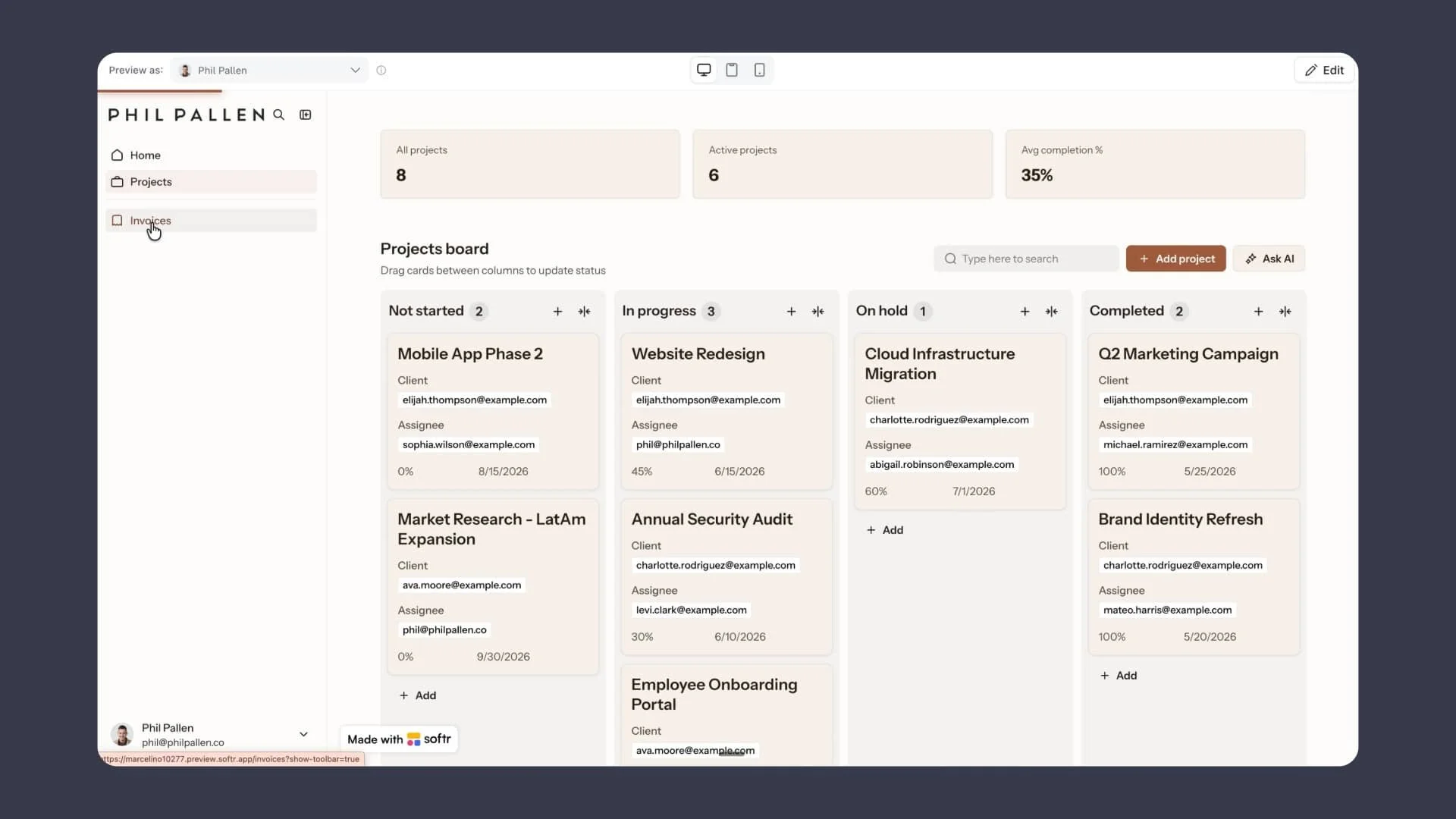
A client reporting portal is a secure hub where clients log in and access everything related to their project: live metrics, invoices, file sharing, task updates, and messages, all in one place and filtered to show only their data.
Client reporting is the ongoing process of keeping clients informed about project progress, performance, and billing. A portal automates that process. Instead of a monthly PDF or a manually compiled email update, clients check their dashboard whenever they want and see current information without asking anyone for it.
Common uses include tracking project progress and deliverables, sharing invoices and payment status, centralizing document sharing and secure file access, and replacing back-and-forth email threads with a single workspace both sides can check at any time.
What Are the Benefits of Using a Client Reporting Portal?
The right client portal software delivers measurable improvements to how your business runs and how clients experience working with you.
Your team spends less time on manual updates. Research from Salesforce found that sales and account management teams spend up to 23% of their time on administrative tasks like updating clients and compiling reports. A portal that automates reporting brings that number down significantly.
Client experience improves. According to PwC, 73% of consumers say a good experience is a key factor in their purchasing decisions. For service businesses, the portal is often the primary touchpoint clients interact with between calls. A well-organized client portal that centralizes data and updates in real time directly shapes how clients perceive the quality of your work.
Retention goes up. Bain and Company research shows that increasing client retention by just 5% can increase profits by 25% to 95%. Clients who feel informed and in control through a self-service portal are easier to retain than those who have to chase you for updates.
Onboarding gets faster. A new client portal with key contacts, a knowledge base, project details, and onboarding documents in one place reduces the average onboarding timeline and the back-and-forth that slows early projects down.
Communication stays on record. When messages, files, and updates live in the portal rather than scattered across email threads and shared folders, nothing gets lost and everyone works from the same information.
What Are the Different Types of Client Reporting Portals?
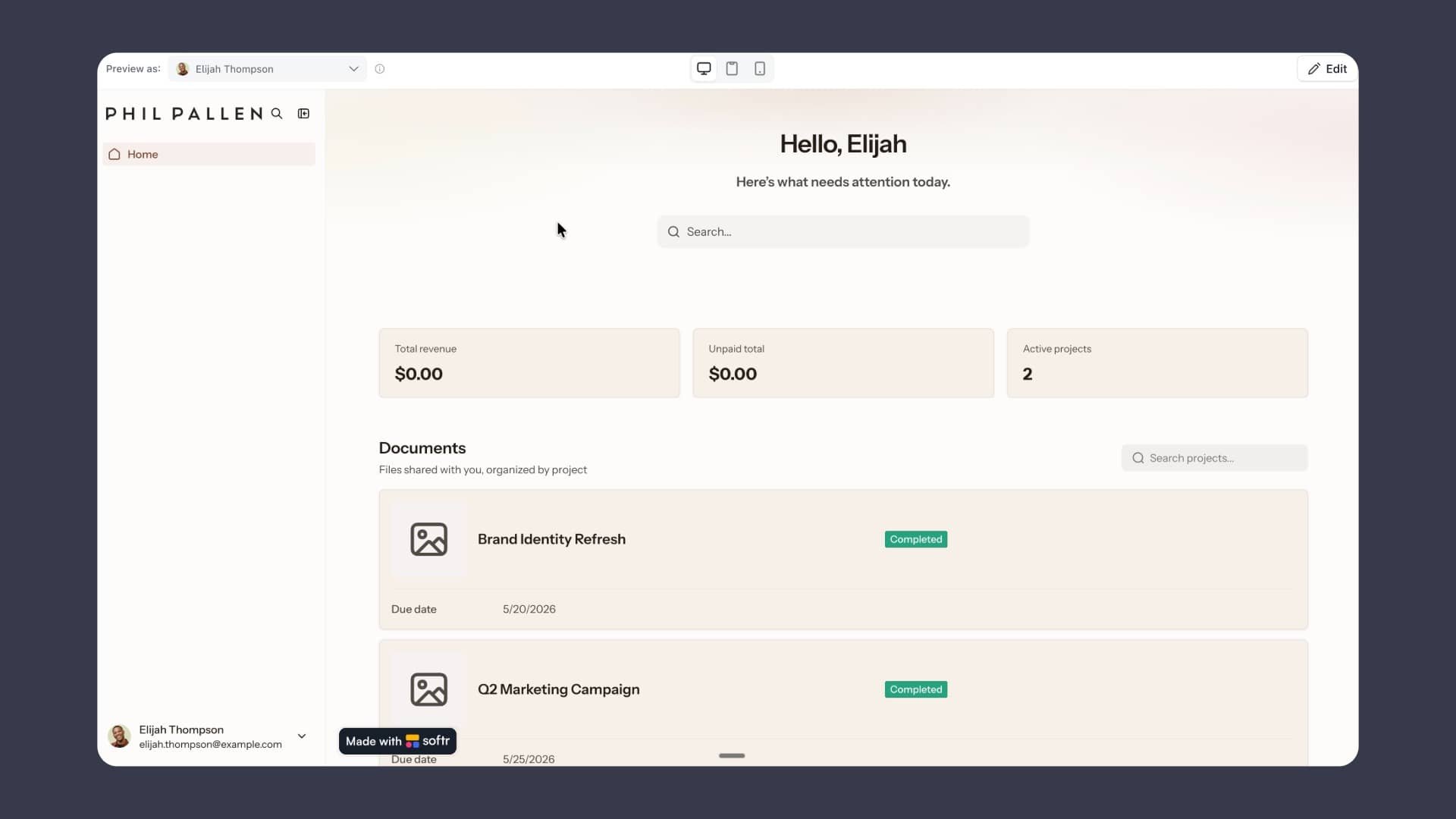
Client portals vary by use case and the type of business running them.
Project-based portals focus on task management, deliverable tracking, and project progress. These are common in agencies and design or development firms where clients need visibility into active work.
Financial portals center on invoice history, payment status, and billing summaries. These work well for accounting firms, consultants, and any business where billing transparency is a priority.
Document portals prioritize secure document sharing, version control, and file organization by project or client. Law firms and compliance-heavy businesses tend to lean on this type. The legal industry processes over 100,000 pages of documents per case in complex litigation, making secure, organized document access a practical necessity rather than a nice-to-have.
Full-service client portals combine all of the above: project management, invoicing, file sharing, messaging, and analytics in a single client portal solution. This is what most service businesses actually need, and it is what Softr is built to support.
What Should I Consider When Choosing Client Reporting Portal Software?
Beyond features, a few broader questions will help narrow your options.
Does it work with your existing data? The best client portal software connects to tools you already use: Airtable, HubSpot, Google Sheets, and more. You should not have to migrate your data to make it work.
How much control do you have over permissions? Role-based permissions and access control at the record level are non-negotiable. Every client should only see their own data, enforced automatically rather than configured manually each time.
Can non-technical people manage it? If updating the portal requires a developer every time something changes, it will not get maintained. A 2023 Gartner report predicted that by 2026, developers outside formal IT departments would account for at least 80% of the user base for low-code and no-code tools. Look for no-code customization your team can manage directly.
How fast can you get it live? A portal you spend three months building is a portal your clients are not using yet. Look for a platform with a template or AI builder that gets you to a working portal in hours, not weeks.
What does it cost to scale? Some portal tools charge per client or per seat in ways that get expensive fast. Understand the pricing model before you commit.
Key Features to Look for in Client Portal Software
Secure Client Access and Role-Based Permissions
Every client should only ever see their own data. The best client portal software enforces this with role-based permissions and access control at the record level. Look for secure login options including Google login, email, and SSO. Encryption and secure access matter especially for law firms or any business handling sensitive documents. IBM's Cost of a Data Breach Report 2023 put the average cost of a data breach at $4.45 million, making a secure client portal not just a feature but a business risk management decision.
A Customizable Dashboard
A clean dashboard that surfaces the right data upfront: project status, unpaid invoices, recent messages, makes the portal worth logging into. Look for a portal that lets you tailor the dashboard layout to match your workflow rather than forcing you into a rigid template.
File Sharing and Document Sharing
Clients need to be able to view and download files without emailing you for a link. Built-in file sharing organized by project reduces friction and keeps secure document access in one place. Shared folders and the ability to embed files directly in the portal help clients find what they need without asking. McKinsey research found that employees spend 1.8 hours per day searching for information, a number that drops significantly when files are centralized in one place.
Project Management and Task Management
A strong client portal goes beyond file storage. It should let clients track project progress, view tasks, see assignees and deadlines, and understand where things stand without scheduling a call. Project management tools built into the portal replace a lot of the status update messages that eat up your week. According to PMI's Pulse of the Profession, organizations that undervalue project management report an average of 67% more of their projects failing outright.
Invoicing
Clients should be able to see their billing history, outstanding amounts, and payment status directly in the portal. Connecting your invoicing to the portal eliminates a separate back-and-forth and keeps everything centralized. Late payments affect 87% of small businesses according to the Federation of Small Businesses, and a portal that gives clients real-time invoice visibility and a direct payment option reduces that number meaningfully.
Integrations
Your portal should work with the tools you already use. Strong client portal software connects to Airtable, HubSpot, Google Sheets, and more so you are not rebuilding your data stack. Workflow automation via tools like Zapier or Make lets you automate repetitive tasks and trigger notifications without manual effort.
Analytics
Understanding how clients use the portal matters. Advanced analytics help you see what clients are looking at and where they might need more support. Real-time data inside the portal also means clients are always looking at current information rather than a stale PDF. Forrester Research found that insights-driven businesses grow 8 times faster than global GDP, underlining the value of building real-time reporting into your client workflow.
How to Build a Client Portal With Softr
Softr is a no-code platform used by over 1 million teams worldwide, including organizations like the NBA, Google, Netflix, and MIT. It lets you build a fully customizable client portal on top of your existing data with connections to Airtable, HubSpot, Google Sheets, Notion, and more.
Start With the AI Co-Builder
Softr's AI Co-builder is where I'd recommend anyone start. You describe what you need in plain language, one sentence at a time, and Softr generates the database, pages, and permission logic automatically.
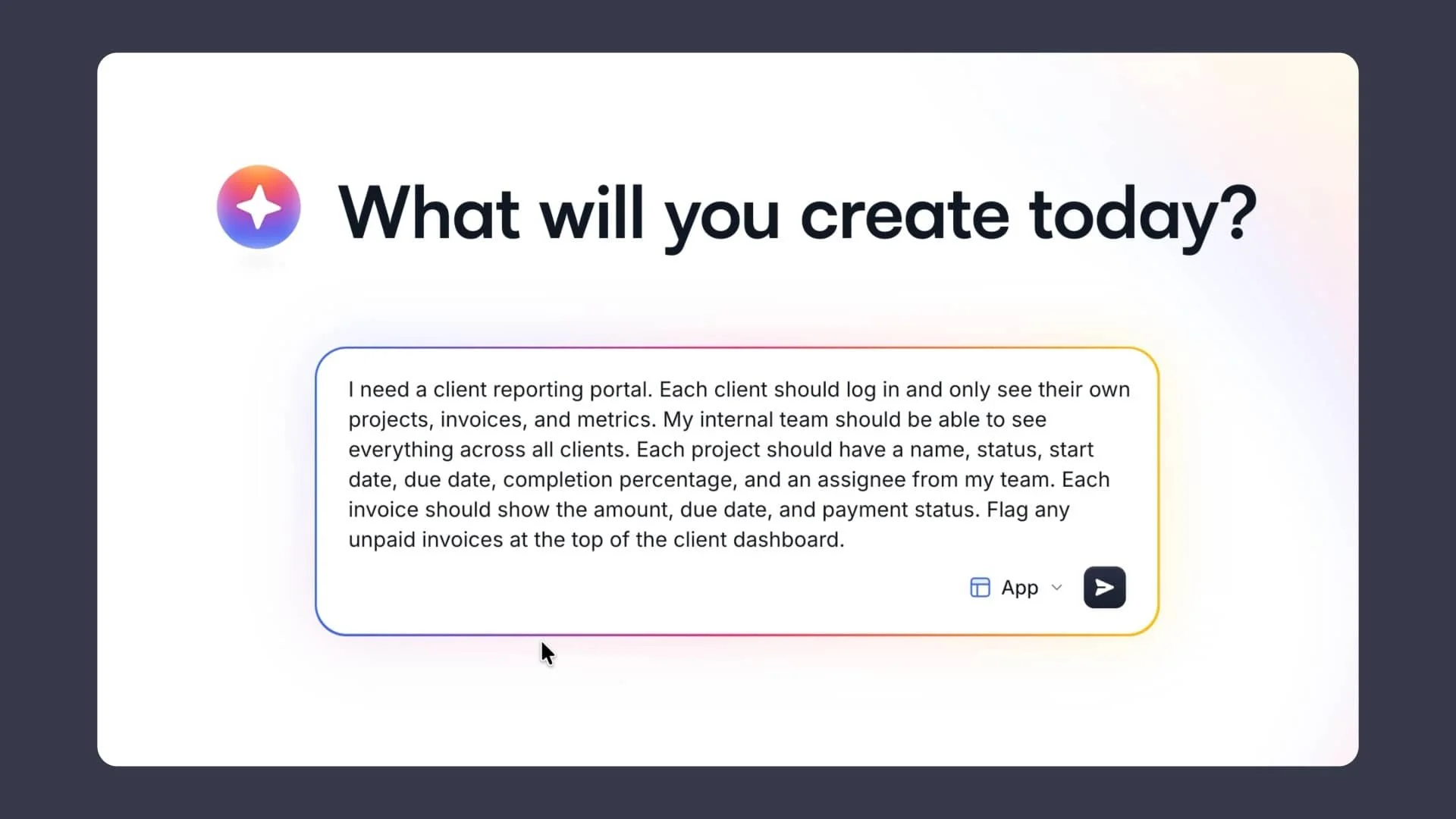
For a client reporting portal, I typed: "Build a client portal where each client logs in and sees only their own projects, invoices, and metrics. My internal team should see everything across all clients."
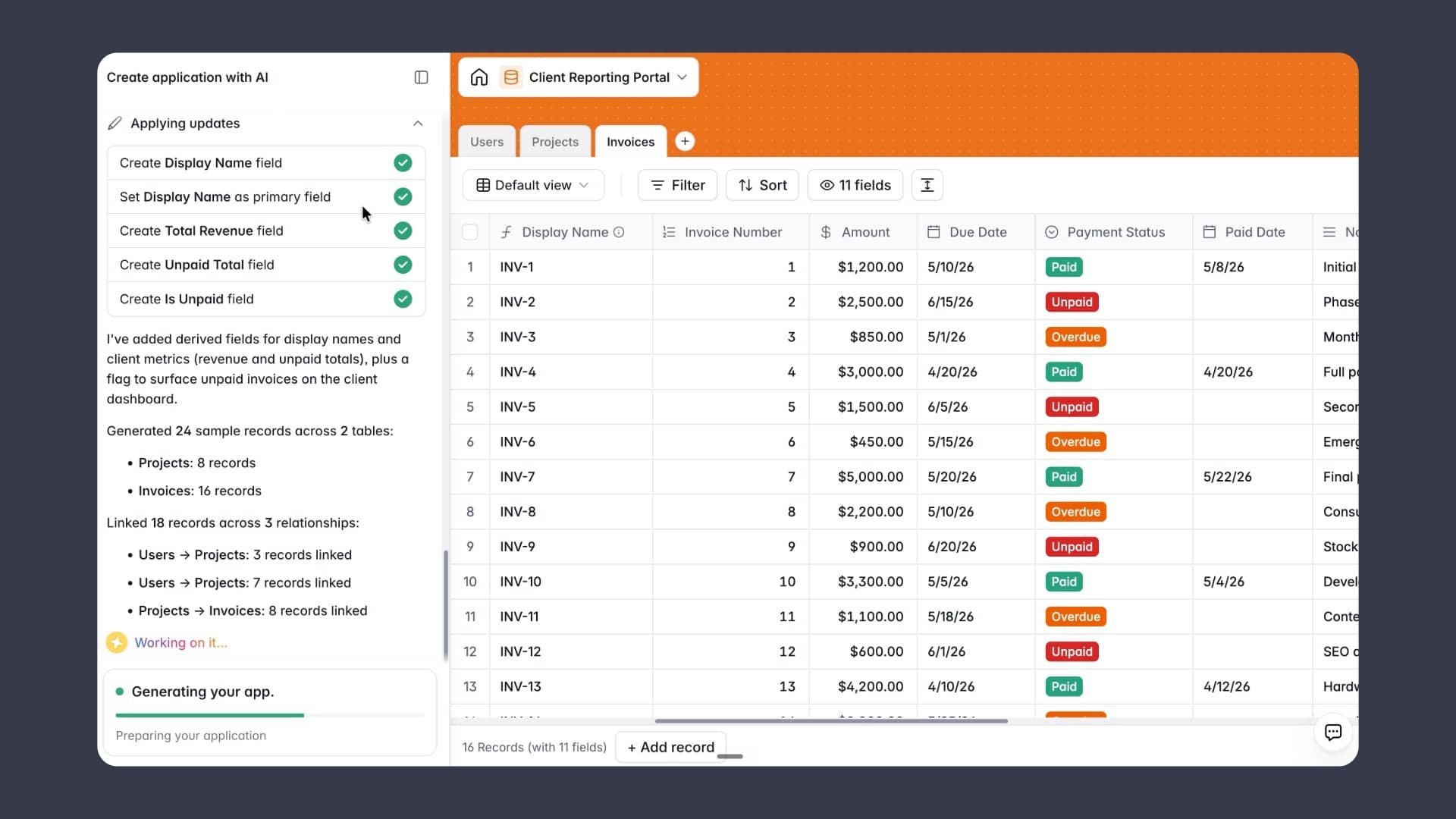
Softr asked a few clarifying questions, then built the entire structure in real time. Tables for users, projects, and invoices. Pages for the dashboard, project detail view, and invoice history. Role-based permissions already configured.
When I realized mid-build that I wanted clients to view files and documents organized by project, I typed that in as a follow-up sentence. Softr added a new section, new fields, and connected everything to the existing data. No rebuilding from scratch.
Set Up User Groups and Permissions
User groups are how Softr controls what each person sees. I created a Client group with one condition: if the user's role equals "Client," show them the client experience. Admins see everything. Clients see only their own records.
This permission logic works at the record level, which means it applies everywhere automatically. You do not have to reconfigure anything each time you add a new client.
Try Softr free and start building your own app (like a client reporting portal)
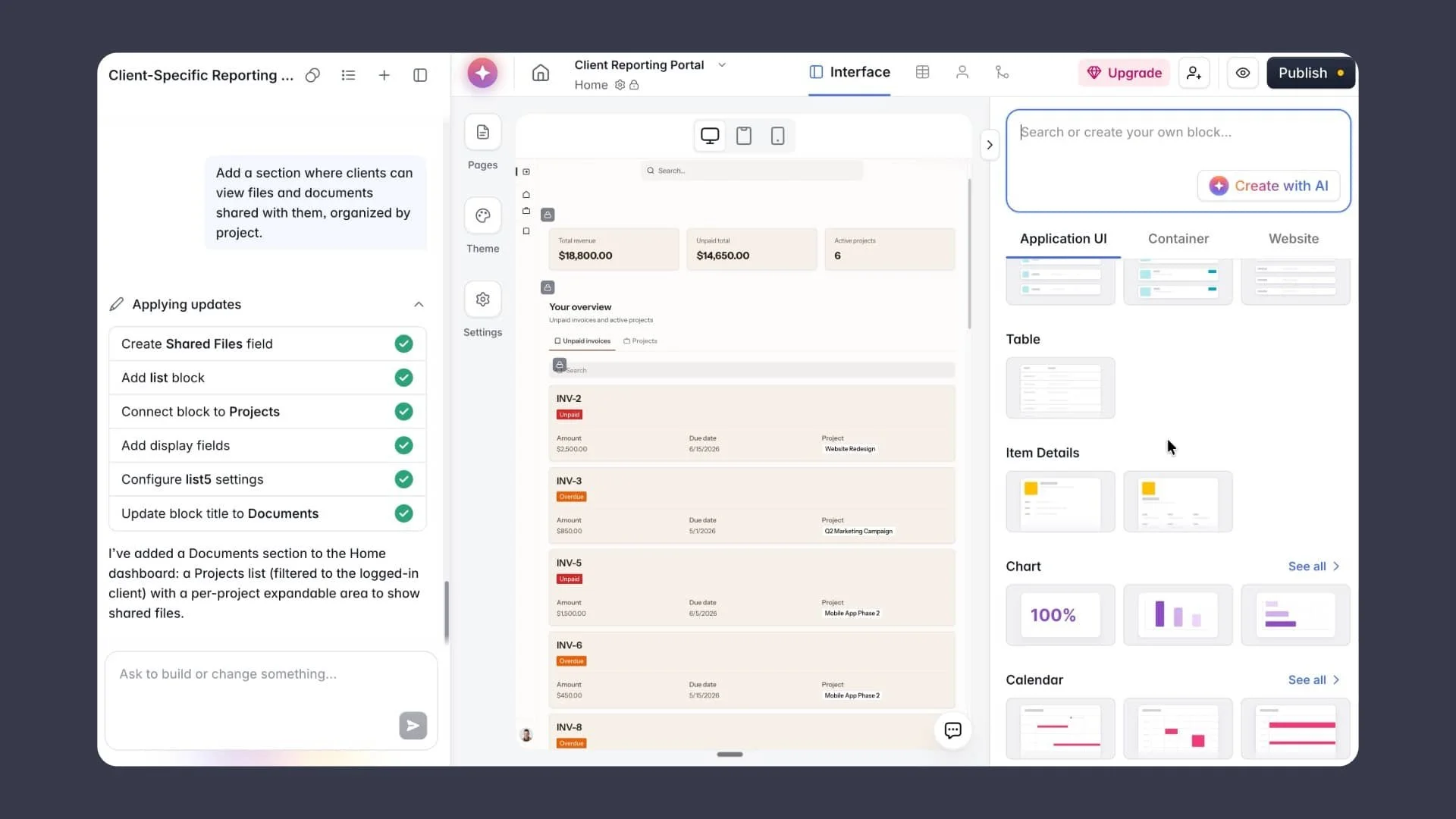
Customize in the Visual Editor
Once the co-builder is done, everything moves into Softr's visual editor where you can adjust it block by block. Remap fields, edit or delete buttons, update labels, and set visibility rules for individual blocks. If a metric card shows admin-level data that clients should not see, you click it, set it to Admin only, and it disappears from the client view immediately.
How Secure Are Client Reporting Portals for Sensitive Information?
Security is one of the most important considerations when choosing client portal software, especially for businesses handling financial data, legal documents, or confidential project information.
The best portals use encryption to protect data in transit and at rest. Role-based permissions ensure clients can only access their own records. Secure access via SSO, Google login, or email keeps the login page locked down. Record-level access control means that even if a permission is misconfigured at the page level, individual records stay protected.
Softr is SOC 2 compliant and GDPR ready, which makes it a strong option for businesses that need to demonstrate data security to enterprise clients or operate in regulated industries. With cybercrime costs projected to reach $10.5 trillion annually by 2025 according to Cybersecurity Ventures, choosing a portal with enterprise-grade security is not optional for businesses handling sensitive client data.
Client Portal Best Practices
Make the dashboard immediately useful. The first thing a client sees when they log in should answer their most common question. For most service businesses that is project status and any outstanding invoices.
Use the portal for client onboarding. A new client portal with a knowledge base, key contacts, project details, and onboarding documents in one place from day one sets the tone for the whole relationship. Companies with a structured onboarding process see 50% greater new employee productivity according to Glassdoor, and the same principle applies to client onboarding.
Keep permissions tight. Role-based permissions and secure client access are part of the client experience, not just a technical detail.
Replace email threads with the portal. Every file, message, and update that lives in the portal is one less thing lost in an inbox. The average professional receives 121 emails per day according to Campaign Monitor. Moving client communication into the portal cuts through that noise for both sides.
Frequently Asked Questions
What is a client reporting portal used for?
A client reporting portal gives clients secure, real-time access to their project data, metrics, invoices, and files. It replaces manual report compilation and status update emails with a self-service portal clients can check anytime.
How much does a client reporting portal cost?
Cost varies by platform and scale. Softr offers a free trial so you can build and test your client portal before committing to a plan. Paid plans scale based on the number of users and features required. Generally, a no-code portal tool like Softr is significantly less expensive than a custom-built client portal solution, which can run anywhere from $10,000 to $100,000 or more depending on complexity.
What are the benefits of using a client reporting portal?
The main benefits are reduced manual work for your team, better visibility for clients, faster client onboarding, improved client experience, and stronger customer relationships over time. Softr customers report a 70% reduction in administrative workload and a 25% increase in productivity after deploying custom portals.
What features should a client reporting portal include?
At minimum: role-based permissions, a customizable dashboard, file sharing, project management tools, invoicing, and integrations with your existing data sources. Advanced portals also include analytics, task management, workflow automation, and a mobile app.
What is the best client reporting portal software?
For service businesses and agencies, Softr is one of the strongest options. It supports no-code builds, connects to tools like Airtable and HubSpot, enforces role-based permissions automatically, and includes an AI Co-builder that gets you from idea to working portal in a single session. Over 1 million teams use Softr worldwide. You can start with a free trial to test it before committing.
How does a client reporting portal improve client experience and retention?
A portal improves client experience by giving clients direct access to their data without having to ask for it. Real-time project progress, invoice visibility, and centralized file sharing reduce friction at every stage of the client relationship. Clients who feel informed and in control are more likely to stay and refer others.
This post is based on a full video walkthrough of building a client reporting portal in Softr. Watch it here.
This content is produced in partnership with Softr. All opinions are my own.